
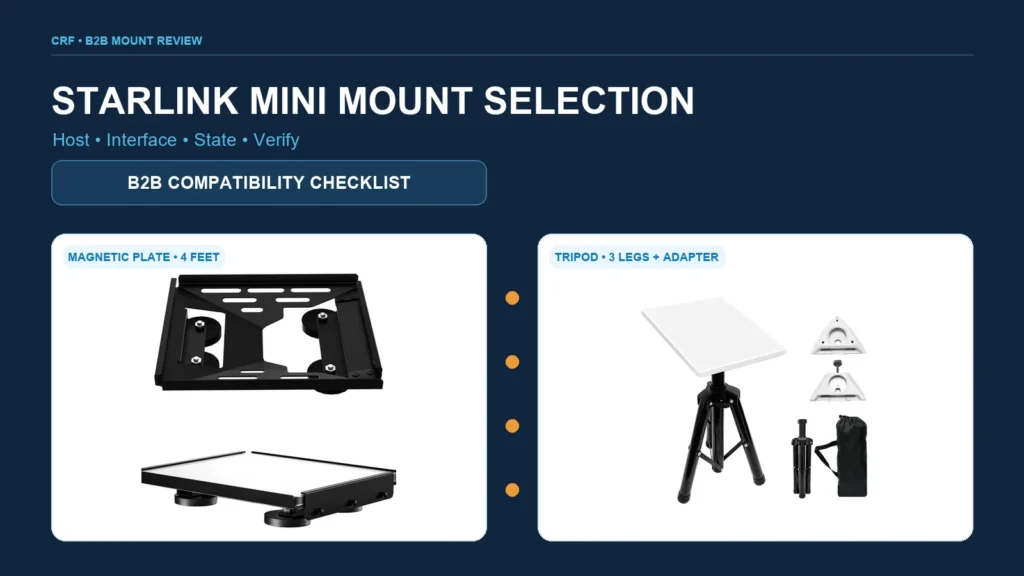
A Starlink Mini mount should be selected by matching the exact terminal, host surface or support, interface dimensions, orientation, operating state, environment and installation responsibility. “Fits Starlink Mini” is only the beginning: buyers also need to define whether the installation is temporary or fixed, stationary or mobile, magnetic, clamped, tripod-supported or otherwise attached, and how the assembly will be retained, routed, inspected and removed.
CRF supplies several real Starlink Mini mounting products, including magnetic, tripod, pivot and pole-clamp styles. This guide is a procurement framework, not installation, structural, electrical, vehicle, marine or satellite-service advice. Final compatibility and safe use must be confirmed from current terminal documentation, the host manufacturer’s requirements, applicable rules and a configuration-specific review by responsible parties.
Begin with the exact terminal and intended use
Do not approve a mount from a family name alone. Record:
- the exact terminal generation and controlled dimensions;
- the mounting or adapter interface to be used;
- whether the terminal remains installed during travel or is deployed only when stationary;
- the host: roof panel, rack, pole, tripod, wall or another support;
- material, geometry, thickness and condition of the contact surface;
- required orientation and adjustment range;
- cable connector, bend and strain-relief needs;
- expected indoor/outdoor, storage and transport conditions; and
- the parties responsible for installation, inspection and removal.
A product image cannot establish compatibility with an unverified roof, pole, rack or operating state.
Compare common Starlink Mini mount types
| Mount type | Why a buyer may consider it | Inputs to verify | Important limitations to resolve |
|---|---|---|---|
| Magnetic plate | Temporary attachment to a suitable ferromagnetic surface | Surface material, flatness, coating, contact area and required retention | Not every metal is magnetic; curved, thin, coated or contaminated surfaces can behave differently |
| Tripod stand | Freestanding temporary deployment | Ground condition, footprint, terminal interface, orientation and cable path | Requires an appropriate placement area and project-specific environmental/retention review |
| Pole clamp | Attachment to a compatible pole or tube | Pole diameter/shape, wall or support capability, clamp geometry and orientation | Compatibility is dimensional and structural; “universal” should not be assumed |
| Pivot adapter | Controlled angular adjustment on a defined support | Both interfaces, locking method, required angle and cable clearance | Adjustment range does not prove the selected angle, retention or host capacity |
| Wall or roof bracket | More fixed building installation | Substrate, fasteners, waterproofing, edge distances, access and applicable rules | Mount supply does not establish the building connection or weatherproofing method |
| Vehicle-specific support | Attachment to a rack, pole or surface on a vehicle | Vehicle/host instructions, stationary vs travel state, route and retention | A stationary deployment claim must not be expanded into in-motion suitability |
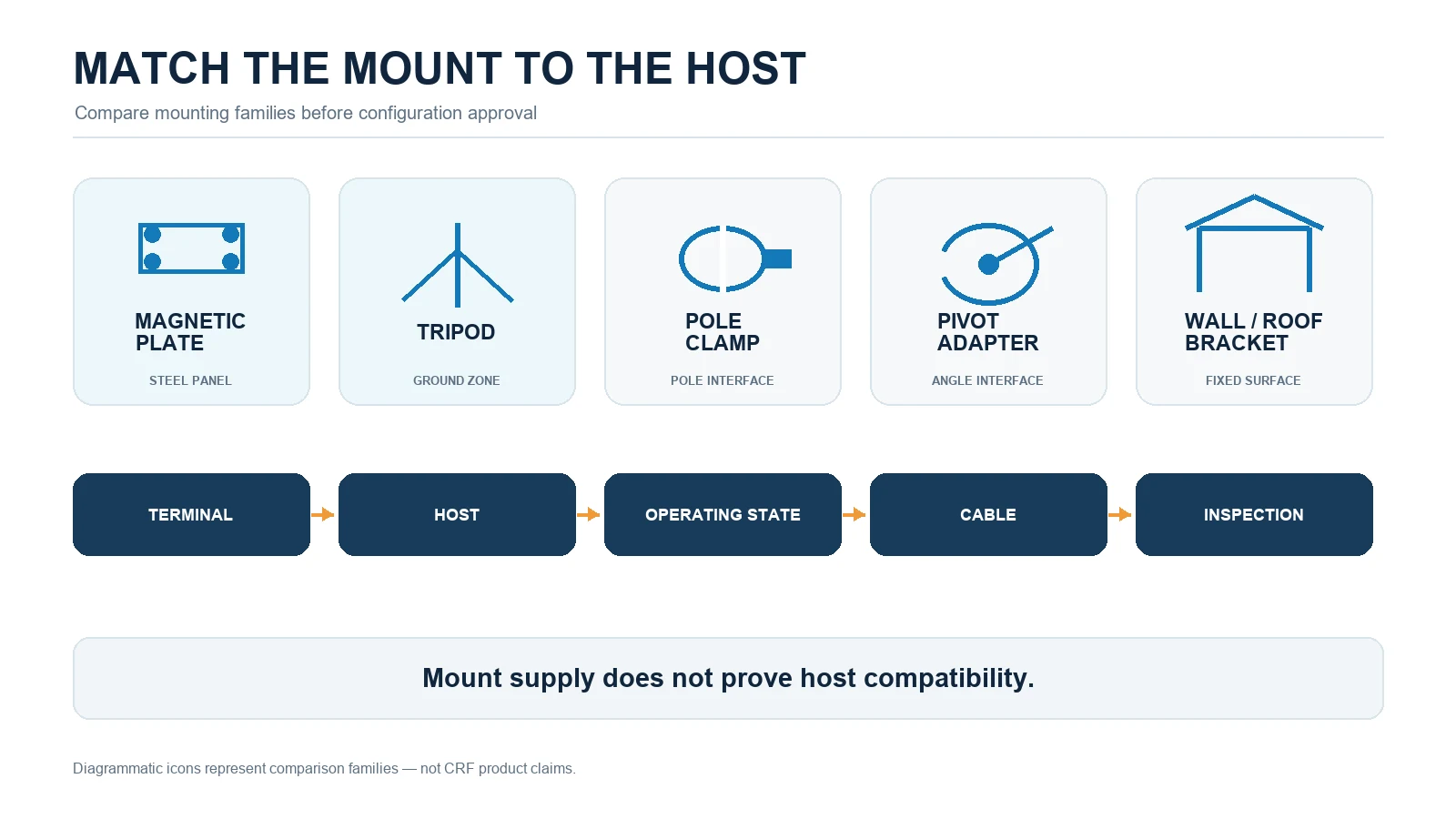
No type is universally best. Select from the exact host, deployment method and responsible-party requirements—not from search popularity alone.
Magnetic mount review
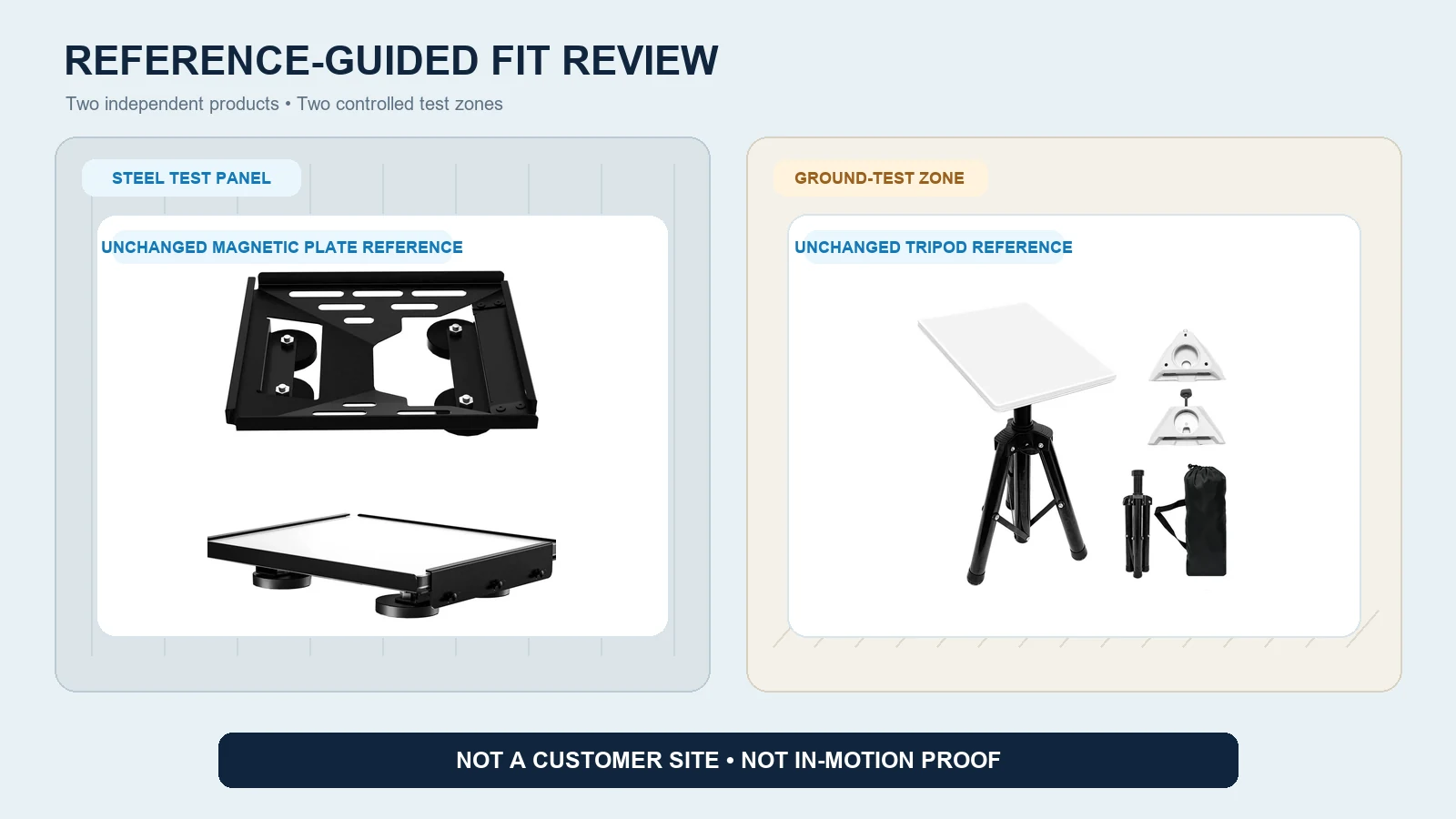
A magnet attracts an appropriate ferromagnetic substrate; it does not make every vehicle roof or panel compatible. Buyers should verify the actual host material rather than relying on appearance.
Check the contact surface
Document whether the mounting area is flat or curved, clean or contaminated, coated or covered, and free from features that reduce contact. Protective layers can help separate surfaces but may also change the contact condition. The responsible party should assess both retention and the risk of marking the host finish.
Define the operating state
State clearly whether the mount is for stationary setup, temporary storage or another controlled state. Do not infer travel or in-motion suitability from a product photograph. If a project requires use during movement, that requirement needs explicit engineering and host-specific verification.
Plan secondary retention if required
Where the responsible design calls for a tether or secondary restraint, define its attachment points, routing, slack and inspection. A poorly placed tether can create a separate hazard or load the terminal connector.
Tripod and freestanding review
A tripod separates the terminal from the vehicle or building surface, which can be useful for temporary deployment. It also creates a ground-contact and placement problem.
Confirm footprint and placement
Record the deployed footprint, support geometry and intended surface. Uneven ground, loose material, slopes and traffic routes require a different review from a controlled flat area.
Keep the cable route visible and protected
Plan the path from terminal to power or network equipment without creating a trip, snag or connector-strain condition. Protect the cable according to the relevant equipment documentation; do not invent a burial, weather or traffic rating.
Define packing and missing-part control
Portable assemblies need a parts list, storage method and deployment inspection. Record adapters, fasteners and adjustment components so a missing item does not prompt an improvised installation.
Pole-clamp and pivot review
Measure the real host
Provide pole outside dimensions, shape, material, finish, available straight length and nearby obstructions. If a clamp is intended for a vehicle rack or other manufactured host, obtain the host supplier’s requirements before treating it as a generic pole.
Review clamp contact and locking
Define how the clamp contacts the host and how loosening, rotation or sliding is controlled. Fastener type, tightening requirement and retention method must come from approved product documentation—not a generic torque value copied from another bracket.
Check the adjustment envelope
For a pivot, model both terminal and cable through the full permitted range. Confirm that locking controls remain accessible and that the terminal cannot strike the pole, roof, bracket or connector.
Wall and roof bracket review
A bracket is only one part of an installation. The project must also define the substrate, fasteners, penetrations, sealing, drainage, edge distances, corrosion interfaces and access for inspection or removal.
CRF cannot infer these details from an exterior photograph. Buyers should provide controlled host information and assign structural and weatherproofing decisions to qualified responsible parties. Local building, property, vehicle, marine or other requirements may apply.
Compatibility and approval workflow
1. Freeze the terminal and host
Record exact terminal identity, mount interface, host material and geometry, installation location and operating state.
2. Select the mount family
Compare magnetic, tripod, clamp, pivot and fixed-bracket options against the intended deployment—not against a fictional all-purpose use case.
3. Build an interface drawing
Show the terminal, adapter, mount, host, fasteners or contact zones, cable and relevant clearances. Identify all unverified dimensions.
4. Review the environment and route
Define placement, storage, transport, exposure and access conditions with the responsible parties. Avoid copying wind, speed, temperature, corrosion or ingress values that are not proven for the complete assembly.
5. Inspect a representative sample
Check interfaces, assembly sequence, adjustment, cable path, contact surfaces, controls, removal and packing on the actual intended host or a representative approved fixture.
6. Define acceptance and inspection
Create configuration-specific inspection points for installation, pre-use, periodic review and removal. State who owns each check and what evidence is retained.
7. Control changes
A terminal revision, host material change, coating change, pole size or operating-state change can reopen compatibility. Update drawings, BOMs and instructions rather than assuming equivalence.
Starlink Mini mount RFQ checklist
Send the supplier:
- exact terminal model/generation and interface information;
- proposed mount type and deployment purpose;
- stationary, temporary, portable or other operating state;
- host material, dimensions, curvature, coating and condition;
- pole/rack data where applicable;
- required orientation and adjustment envelope;
- cable route and connector-clearance inputs;
- installation and removal responsibility;
- indoor/outdoor, storage and transport scope;
- finish, color, packaging and labeling requirements;
- sample and host-fit review plan;
- destination market, quantity and commercial assumptions; and
- any secondary-retention or inspection requirement defined by the responsible design.
Ask the quotation to identify included hardware, excluded host fasteners, adapters, packaging, drawings, sample work and verification responsibilities explicitly.
Real CRF Starlink Mini product references
The CRF adjustable magnetic mounting plate for Starlink Mini is a real magnetic-style product reference. Its page can start a discussion about a temporary magnetic interface, but it does not prove compatibility with every vehicle, roof material, finish or operating state.
The CRF portable aluminum tripod stand for Starlink Mini is a separate freestanding product reference. Buyers should confirm the terminal interface, deployment surface, cable routing, included parts and environmental scope for their project.
CRF also lists pivot and pole-clamp variants. Use only the page matching the intended mount family, and do not combine separate products into one implied configuration without review.
Limits of this guide
This article makes no universal claim for wind resistance, vehicle speed, pull-off force, clamp force, load, pole range, corrosion class, ingress protection, temperature, salt exposure, roof compatibility, in-motion operation, service availability, price, MOQ, stock or lead time. Starlink is a third-party brand; CRF mount references are accessories, not evidence of affiliation, satellite performance or service approval.
FAQ
Is every metal vehicle roof suitable for a magnetic Starlink Mini mount?
No. Buyers must verify whether the actual surface is ferromagnetic and assess its geometry, coating, condition, contact area and permitted use. “Metal” alone does not prove magnetic compatibility.
Can a magnetic mount remain installed while driving?
Do not assume that from a product image or generic mount description. Stationary and in-motion states are different requirements. Any travel-use requirement needs explicit vehicle-, host- and configuration-specific approval and verification.
What measurements are needed for a pole clamp?
Provide pole outside dimensions, shape, material, finish, available straight length and nearby obstructions, plus the terminal orientation and cable route. The mount and host interfaces must be reviewed together.
Is a tripod always the safest portable option?
No mount type is universally safest. A tripod requires a suitable placement surface, footprint, retention plan, cable route and deployment inspection. Compare it with other options for the actual site and operating state.
Discuss a Starlink Mini mount configuration with CRF
Review the relevant magnetic plate or portable tripod product page and submit an RFQ, or email info@szcrftech.com. Include terminal identity, host drawings/photos, material and dimensions, operating state, cable plan, quantity and destination. CRF can review the mount-product scope and identify missing compatibility inputs before quotation.