
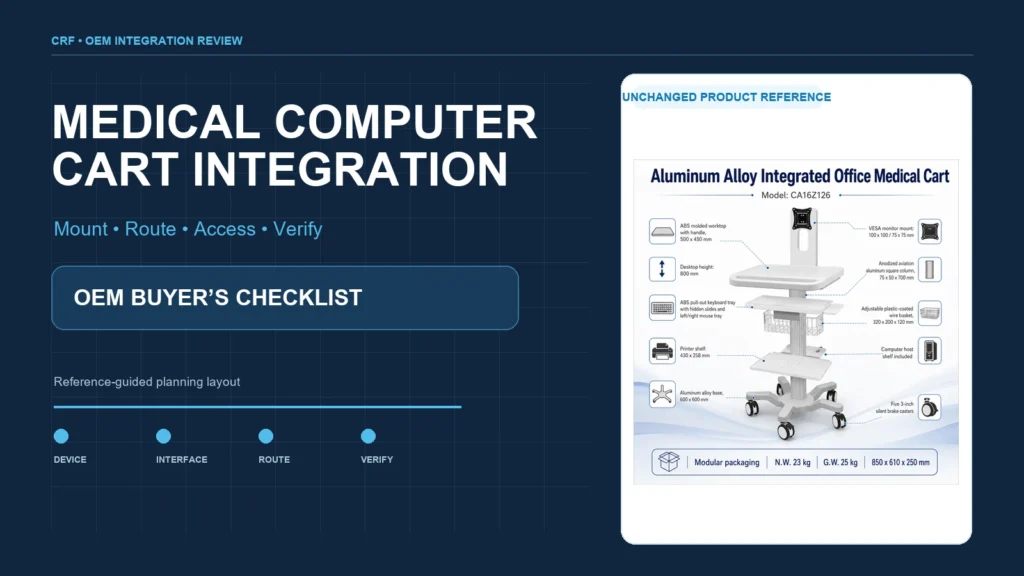
A medical computer cart should be specified around the complete technology set and workflow—not selected as an empty frame. Before requesting a quote, buyers should freeze the monitor, computer, keyboard, printer, scanner, power approach, cable paths, operator reach zones and service responsibilities. The supplier can then review mounting interfaces, space claims, movement envelopes and the cart architecture against one controlled configuration.
CRF manufactures aluminum-alloy medical equipment carts, including integrated computer-workstation models. This guide addresses mobile equipment support and documentation workflows, not patient transport or a medical treatment. It does not establish electrical, clinical, safety or regulatory compliance for a finished system. Those decisions belong to qualified responsible parties and must be verified for the final configuration and destination market.
Why the complete configuration must come first
A catalog image cannot show whether a buyer’s monitor, printer and computer can coexist without interference. A change in one component may affect several interfaces:
- a larger monitor changes the mount load, reach and visibility envelope;
- a different computer changes retention, ventilation, connector access and cable lengths;
- a printer can affect shelf size, paper access and mass distribution;
- a keyboard tray changes working position and clearance during movement;
- a scanner or accessory holder can conflict with handles, drawers or doors;
- powered and non-powered configurations require different scope, documentation and responsible-party review.
Treat the cart, technology and accessories as one controlled integration package. “Fits a monitor” is not enough information for an OEM quotation.
Start with a configuration register
Create a line item for every installed or carried component. Record its manufacturer and model, controlled drawing or datasheet revision, overall dimensions, mass, mounting pattern, connector locations, ventilation zones, service-clearance needs and whether it is buyer-supplied or supplier-supplied.
Separate fixed and removable equipment
Mark each component as permanently retained, tool-removable, quick-release, stored during transport or installed only at the destination. This distinction affects brackets, retention, packaging, instructions and final inspection.
Identify adjustment and movement envelopes
A monitor arm, keyboard tray, printer door and height-adjustment mechanism all occupy space while moving. Review the complete envelope rather than only the parked position. Keep controls, connectors, cable loops and release mechanisms accessible throughout the intended range.
Assign integration ownership
Name the party responsible for mechanical mounting, cable installation, electrical integration, software setup, final verification and change approval. An OEM cart supplier may provide a mechanical platform without owning every requirement of the installed computer system.
Compare the main cart architecture choices
| Decision area | Option to consider | Information buyers should provide | Review focus |
|---|---|---|---|
| Computing hardware | Laptop, small-form-factor computer or all-in-one | Dimensions, mass, connectors, ventilation and service access | Retention, cooling clearance and replacement path |
| Display | Fixed, tilt or articulating monitor support | Display mass, mounting interface and desired viewing range | Interface match, movement envelope and cable slack |
| Input | Fixed shelf or sliding keyboard/mouse tray | Device sizes and operator-use position | Reach, stowage, left/right use and collision clearance |
| Printing | No printer, open shelf or retained printer position | Printer envelope, access panels, paper path and mass | Retention, paper/ink access, vibration and cable route |
| Storage | Basket, shelf, drawer or cabinet | Contents, access priority and security requirement | Interference, cleaning access and load distribution |
| Mobility | Three-, four- or five-caster base architecture | Loaded configuration, route and dimensional constraints | Geometry, turning envelope, thresholds and brake access |
| Power | Non-powered cart or integrated power scope | Equipment power data and destination requirements | Qualified electrical design, heat, charging and documentation |
No row has a universal best answer. Select the architecture from the actual equipment, workflow, environment and responsible-party requirements.
Review each mechanical interface
Monitor mount
Provide the exact mounting pattern and fastener requirements from the monitor documentation. Define the desired height, tilt, rotation and reach only after checking the screen’s complete movement envelope. Ensure the chosen position does not obstruct the handle, printer, work surface or the user’s forward view during movement.
Computer retention
Record the computer’s access panels, ventilation openings, cable exits and replacement path. A bracket that physically surrounds a computer can still be unsuitable if it blocks airflow, traps connectors or requires unrelated assemblies to be removed for service.
Keyboard and pointing device
Specify the keyboard and mouse dimensions, operating position and stowed position. Check that a sliding tray cannot release unintentionally or strike the column, accessories or operator when the cart changes direction. Ergonomic suitability should be evaluated in the intended workflow by responsible users; this article does not prescribe a universal working height or reach.
Printer shelf
A printer needs more than a rectangular footprint. Document the paper-loading path, output path, cartridge or service opening, connector side and any cover movement. Define retention for the intended cart state without claiming that a generic shelf fits all devices.
Accessories and storage
Map scanner holders, baskets, drawers, label rolls and other accessories onto controlled cart views. Set access priorities and confirm that optional accessories do not create a fictional combined configuration that has never been reviewed.
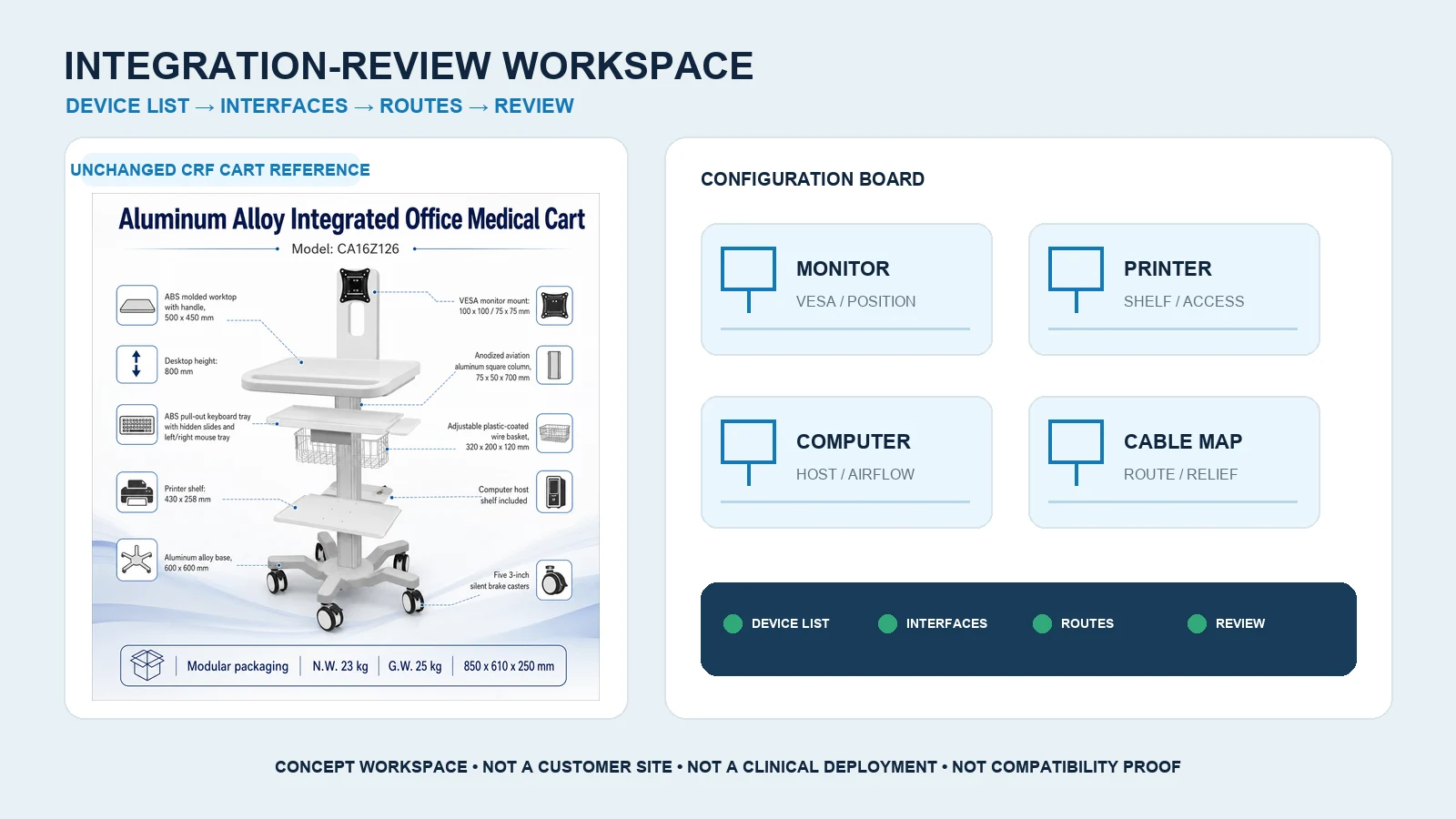
Plan cable routing before freezing the structure
A cable plan should show the origin, destination, connector, approximate route, moving joints, required slack, retention points and service disconnect for every cable.
Protect movement zones
Allow enough controlled slack for the approved monitor or height-adjustment motion, but prevent loops from entering caster, pinch or snag zones. Do not use one generic cable length for every configuration.
Keep connectors serviceable
Place retention so service staff can identify and disconnect the correct cable without dismantling unrelated hardware. Avoid placing strain directly on connectors. Record any bend, separation or routing requirements from the relevant equipment documentation.
Distinguish mechanical routing from electrical approval
A neat cable route does not prove electrical-system compliance. If the project includes batteries, power distribution or mains connection, qualified parties must define and verify the applicable electrical architecture, protective measures, labels and documentation. Do not assume a power component from one cart can be transferred to another configuration.
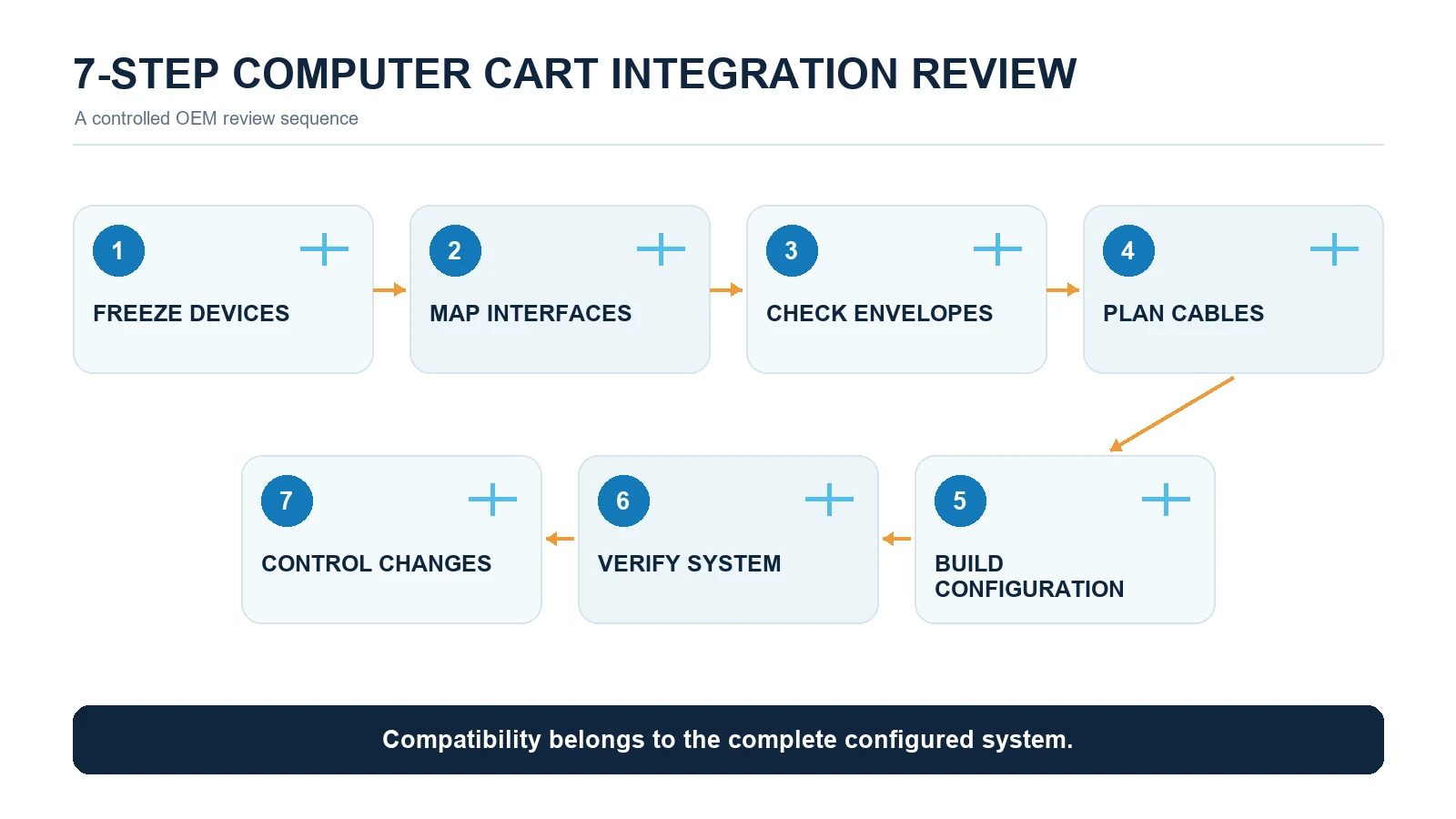
Use a controlled integration review
1. Freeze the device list
Approve the exact monitor, computer, input devices, printer and accessories. Record buyer-supplied items and unavailable information.
2. Build the interface matrix
Map every component to its bracket, fastener, cable, power source, movement envelope and responsible owner.
3. Review a digital layout
Use controlled dimensions to identify obvious collisions, blocked access and cable-route conflicts. A model is useful but does not replace a physical review.
4. Build a representative configuration
Assemble the intended technology set on the proposed cart. Do not validate one device combination and silently apply the result to another.
5. Check movement and access
Review monitor travel, height adjustment if present, keyboard and printer access, handle clearance, brake access, turning envelope and service removal.
6. Verify the completed system
Qualified responsible parties should define the mechanical, electrical, usability, cleaning, transport and other applicable checks. Record actual results against approved acceptance criteria.
7. Control changes and handover
Release drawings, BOMs, cable maps, assembly instructions, inspection records and open-item ownership. Reassess affected interfaces whenever a device or accessory changes.
Medical computer cart RFQ checklist
Send the prospective cart supplier:
- intended workflow and destination environment;
- complete equipment and accessory register;
- controlled dimensions, masses and interface drawings;
- monitor mounting pattern and movement requirement;
- computer retention, ventilation and service needs;
- keyboard, mouse and printer operating/stowed envelopes;
- cable list, connector locations and required movements;
- non-powered or powered scope and responsible electrical party;
- storage, lock, basket, scanner and handle requirements;
- preferred base architecture and route constraints;
- finish, cleaning and identification requirements defined by the buyer;
- prototype, sample and verification responsibilities;
- packaging, destination assembly and handover scope; and
- quantity, destination market and commercial assumptions.
Ask the quote to identify included components, buyer-supplied components, engineering, tooling, sample work, packaging, verification support and exclusions separately.
A real CRF product reference
The CRF CA16Z126 integrated medical computer cart is a real five-caster aluminum workstation reference with a monitor support and printer-shelf configuration shown on its product page. It can support a configuration discussion, but the public image does not prove compatibility with a buyer’s equipment, a universal load, an electrical system or a clinical workflow.
Buyers can also browse the CRF medical cart collection to compare other equipment-support architectures. Use the relevant product page as a starting point, then submit controlled device information for review.
Limitations
This guide intentionally provides no universal load, height, caster size, monitor limit, printer size, electrical rating, battery runtime, cleaning agent, ingress rating, certification, price, MOQ, stock status or lead time. It does not certify a completed workstation or replace device instructions, risk management, usability work, electrical engineering or destination-market review.
FAQ
What information is needed to quote a medical computer cart?
At minimum, provide the complete equipment list, controlled dimensions and masses, mounting interfaces, movement envelopes, cable and power scope, workflow, route constraints, accessories, destination market and quantity. Missing inputs should be listed rather than guessed.
Can one cart design fit different monitors and printers?
Possibly, but each combination needs an interface and envelope review. Similar overall dimensions do not guarantee identical mounting, connector access, ventilation, paper path or mass distribution.
Should cable routing be finalized before the prototype?
A planned route should be included before prototype review, then checked on a representative physical configuration. Final routing must account for movement, service access, retention and the requirements of each connected component.
Does a medical computer cart require integrated power?
Not necessarily. Powered and non-powered carts serve different project scopes. If power is included, qualified parties must define and verify the electrical architecture and completed configuration rather than treating it as a generic accessory.
Discuss a custom computer-cart configuration with CRF
Review the CA16Z126 computer-cart reference and send an RFQ through the contact page or the product page, or email info@szcrftech.com. Include the equipment register, drawings, mounting and cable details, workflow, destination, quantity and required sample-review scope. CRF can review the mechanical cart configuration and identify missing OEM inputs before quotation.