
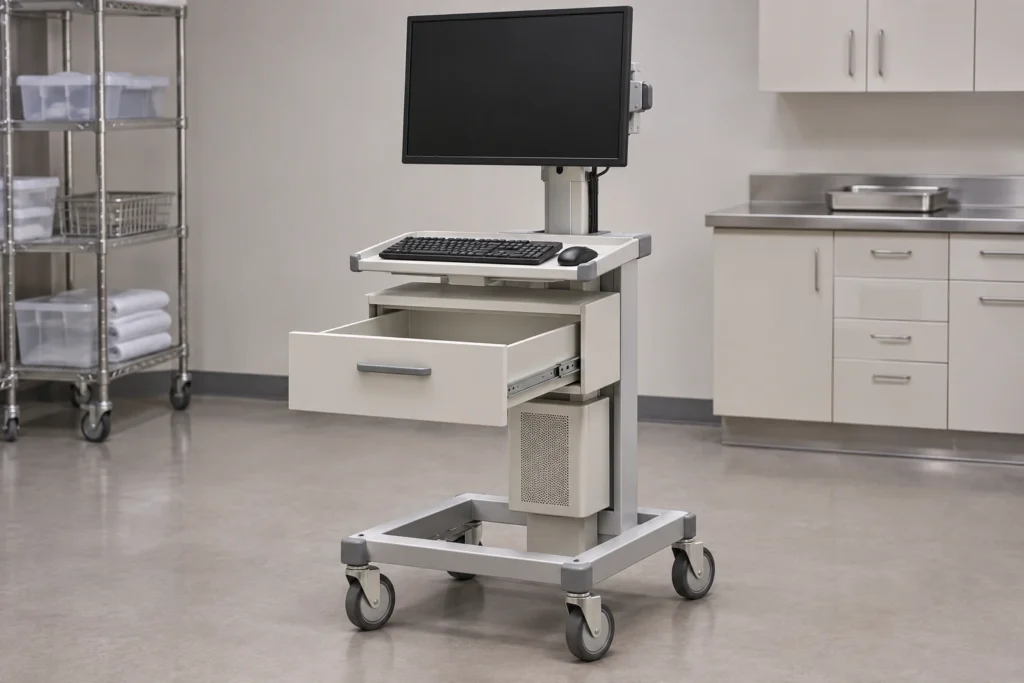
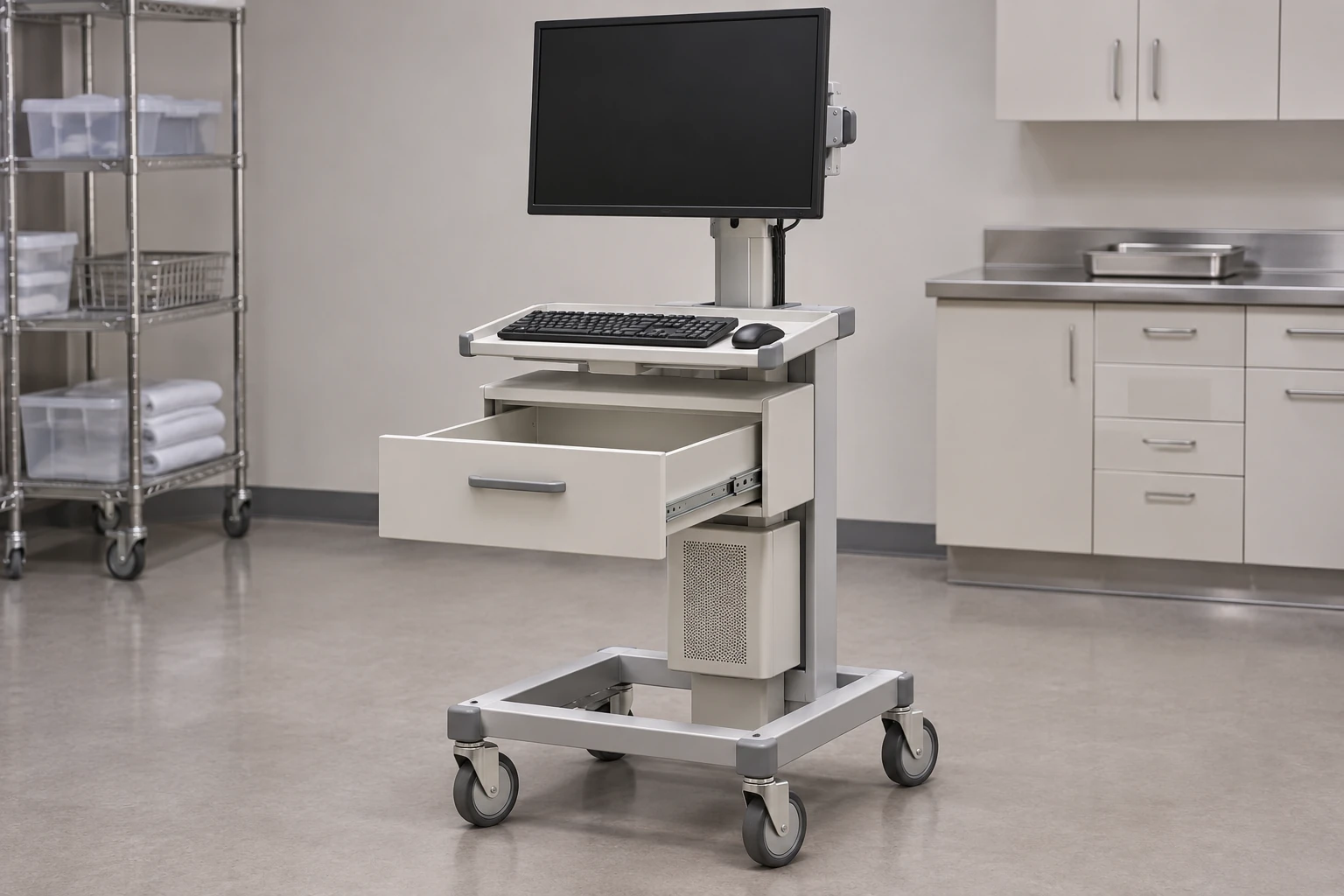
A medical computer cart drawer should be reviewed in both its closed and fully opened positions, with the specified computer, keyboard tray, cables and accessories fitted. A drawer dimension alone does not establish usable storage or clearance. Before ordering, confirm internal usable space, the opening envelope, access to adjacent equipment and the exact configuration to be sampled.
This is a procurement review guide, not a clinical-use instruction or a claim that a particular cart is approved for medication storage.
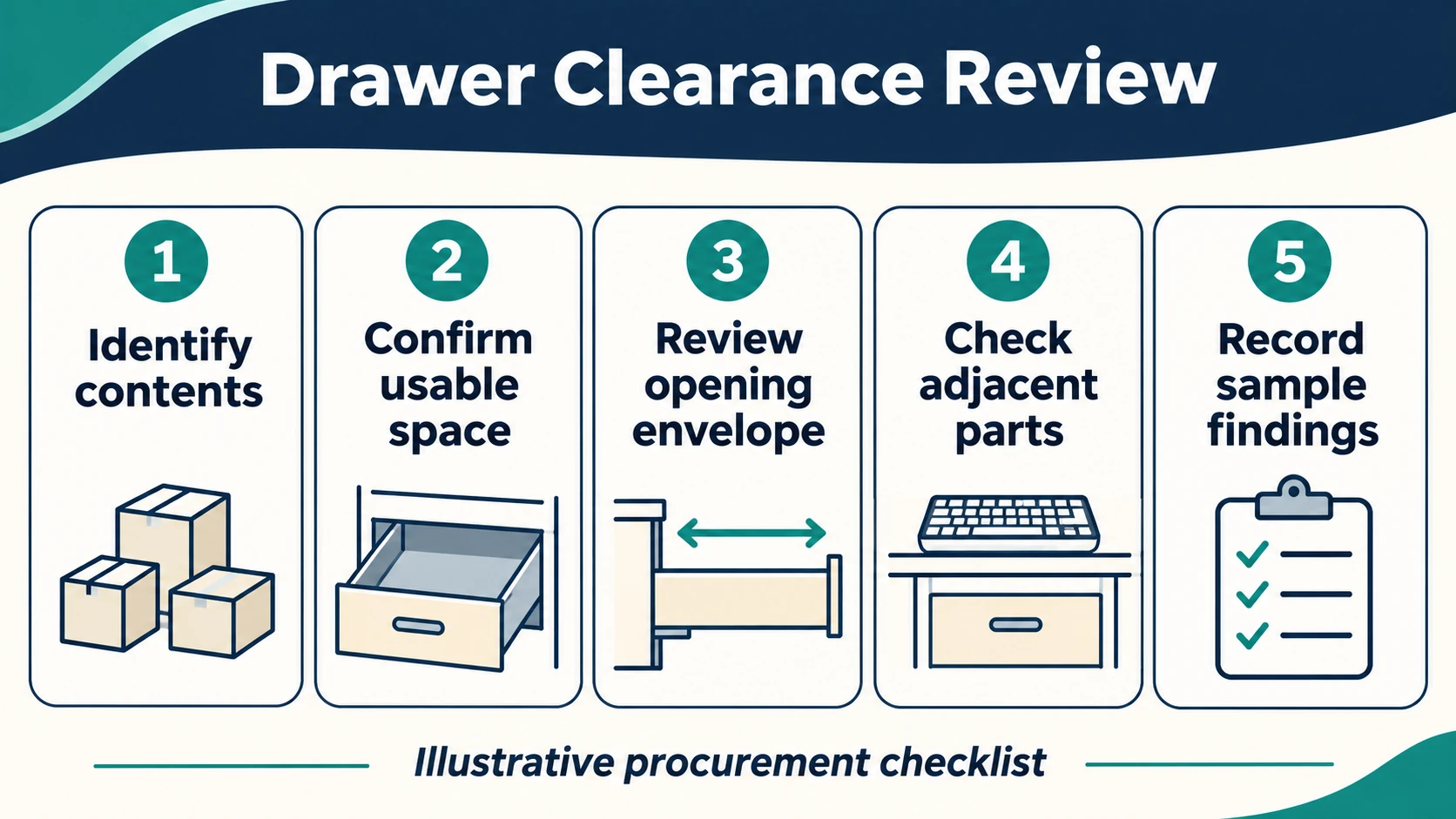
Start with a real drawer-equipped configuration
The CRF CA18Z160 medical-office cart with integrated CPU and drawer provides a relevant starting point for a drawer-equipped workstation inquiry. Its current listing identifies the model and drawer arrangement. Ask CRF to confirm the current drawing and sample configuration rather than treating an older page illustration as a production release.
Do not transfer a dimension, load statement, lock description or accessory from another cart. Even two workstation layouts that look similar may use different drawers, slides or adjacent components. Any electrical, load or certification requirements need configuration-specific evidence.
Separate storage size from the opening envelope
Closed position: what actually fits inside?
List the intended non-clinical accessories or supplies, including their packaging. Request the usable internal width, depth and height rather than relying on a cabinet’s external dimensions. Identify slide intrusions, dividers and any space occupied by hardware. If an item must remain in its packaging, review the packaged item, not its nominal device dimensions.
Do not assume that a drawer is a secure compartment. A handle, latch and key lock are different features. Record exactly which feature is offered and whether a lock or divider is included in the quoted configuration. Security or controlled-storage requirements need separate specialist review.
Open position: what occupies the surrounding space?
Request an outline drawing showing the drawer’s opening travel and handle projection. Review the operator approach and nearby furniture without prescribing a universal clearance distance. The workstation’s keyboard tray, computer compartment and cables must appear in the same layout; isolated component drawings cannot show every interference.
| Review item | Evidence to request | Decision to record |
|---|---|---|
| Usable internal space | Current drawer detail and representative contents | Contents fit without assumptions |
| Opening travel | Closed and open outline views | Surrounding space accommodates access |
| Keyboard tray relationship | Combined workstation layout | Neither access path is unintentionally blocked |
| Cable relationship | Routing view for the specified devices | Drawer movement does not interfere with the agreed route |
| Handle, latch or lock | Exact component description | Required feature and included parts are explicit |
| Service access | Access sequence reviewed by the supplier | Replaceable components remain accessible |
Review the drawer with the workstation, not separately
Keyboard and hand access
A drawer may sit below or near a keyboard tray. Review whether the agreed operating positions require the user to move one component to reach the other. Photograph the sample from the side as well as the front. Ask reviewers to describe an obstruction precisely: which part, which position and which task. Avoid approving a design simply because the front view looks tidy.
This review should not be presented as proof of ergonomic compliance. The purchaser’s qualified team must assess the actual work setting and users.
Computer and cable access
Identify the specific computer enclosure, connector locations and cable route. Check whether an opened drawer occupies space reserved for a cable bend or a service panel. Do not route a cable through an assumed free gap without supplier review. Drawer motion and cable retention must be considered together.
For the wider device interface, see the medical computer cart integration checklist. Keep the drawer-specific record separate from that broader integration brief so that a change to storage can be reviewed without silently changing the computer specification.
Compare a drawer, an open shelf and a separate organizer
A drawer can enclose small items, but it also adds an opening movement and components that need identification. An open shelf provides different access and visibility; it is not automatically a suitable substitute. A removable organizer may simplify item grouping, but its fit, retention and cleaning requirements still need review.
Do not select among these options on the basis of an unsupported load rating or an assumed hygiene advantage. Start with the actual contents and workflow, then ask CRF which arrangement can be offered for the selected model. Customization feasibility is a question to resolve, not a feature to promise in advance.
A focused sample-review checklist
Before a configuration is approved, collect the following in one record:
- Model and drawing revision, with the drawer and slide identifiers.
- Intended contents, packaging and required usable space.
- Closed and open views with the keyboard tray and computer installed.
- The agreed cable route and access sequence.
- Included dividers, handle, latch or lock, without implied security claims.
- Supplier-reviewed evaluation method and purchaser acceptance criteria.
- Photographs of the actual sample and a list of unresolved changes.
Do not improvise load or stability testing from this article. Ask the supplier and qualified reviewers to define appropriate evaluation procedures for the assembled configuration. An empty-drawer photograph is not evidence of performance when opened with contents.
FAQ
Does the listed drawer size equal usable internal storage?
Not necessarily. Ask whether the listed size describes external dimensions, a nominal component or measured usable space. Request an internal drawing and review representative contents.
Can the drawer be opened while the keyboard tray is in use?
That depends on the exact layout and positions. Request combined views and review the sample with the specified tray, computer and accessories rather than assuming simultaneous access.
Does a drawer make the cart suitable for medication storage?
No. This article makes no medication-security, clinical-storage or regulatory suitability claim. Such use requires dedicated requirements and qualified approval.
Can CRF change the drawer layout?
Submit the requested contents, drawing, access needs and quantity for feasibility review. Available options and commercial terms must be confirmed for the specific inquiry.
Send CRF a configuration-specific RFQ
For a focused quotation, include the CA18Z160 reference or selected cart model, computer information, intended drawer contents, required access positions, destination and quantity. Attach a marked-up layout showing the opening envelope you need reviewed. Use the CRF RFQ contact page or email sales@szcrftech.com. Ask for current drawings, included-component details and a sample-review proposal before releasing an order.