
Primary keyword: medical equipment cart
Secondary keywords: custom medical equipment cart; medical cart manufacturer; medical cart configurator; medical cart assembly
Intent: Commercial investigation / OEM project planning
Funnel: Consideration / decision
Business value: High
Difficulty: KD 14 for “medical equipment cart” in the local Semrush/seotools8 library; exact difficulty for the secondary terms is unknown.
Keyword source: Local keyword library lists “medical equipment cart” at US volume 140, KD 14 and CPC USD 2.01 (Semrush via seotools8, US database). Fresh GSC through 2026-10-04 shows “medical cart assembly” with 3 impressions at average position 18 and “medical cart configurator” with 1 impression at position 8. These are directional, low-volume observations—not forecasts.
SEO title: Medical Equipment Cart OEM Project Guide | CRF
Slug: /medical-equipment-cart-oem-project-guide/
Meta description: Plan a custom medical equipment cart from controlled device inputs through interfaces, cable routing, mobility, prototype review, assembly and sample approval.
H1: Medical Equipment Cart OEM Project: From Device Inputs to Sample Approval
A custom medical equipment cart project should start with a controlled device package, not a sketch of an empty trolley. The buyer and manufacturer need to define equipment, interfaces, operating states, cables, mobility routes, cleaning inputs, documentation and sample acceptance before releasing a configuration. A visually plausible cart can still fail if ports are blocked, mass locations change, service access is lost or the approved device revision is replaced.
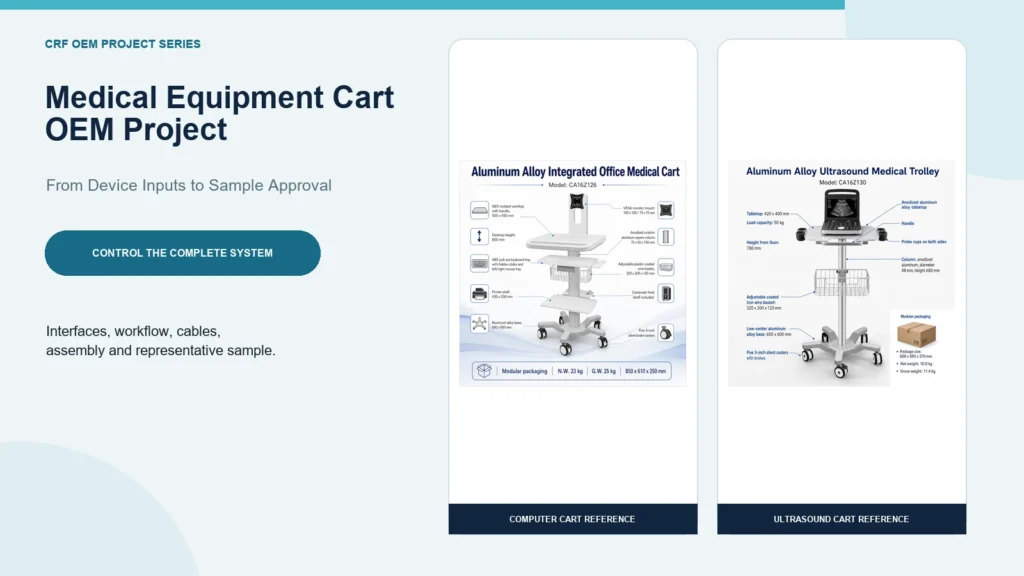
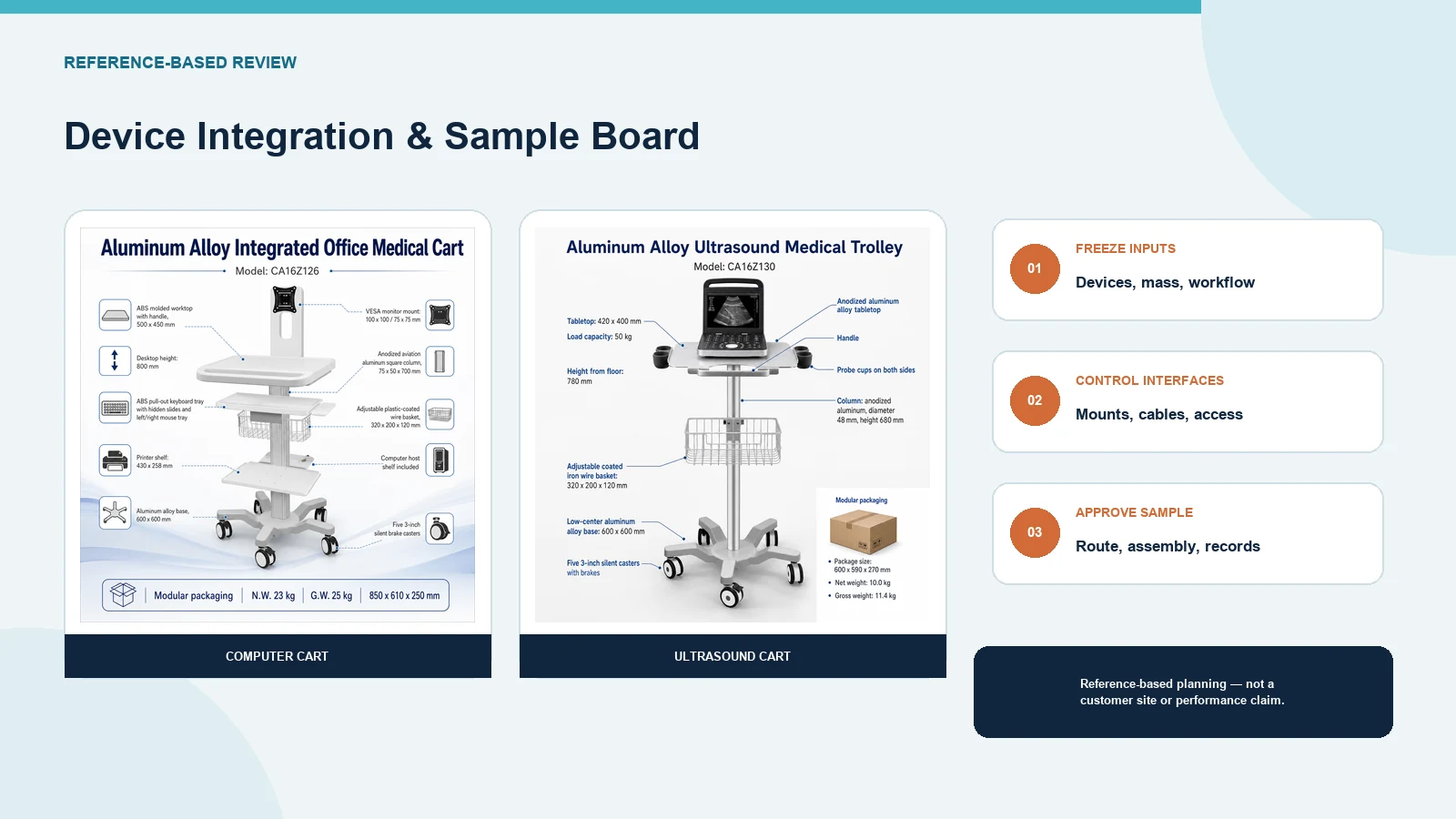
CRF’s live catalog demonstrates real integration directions rather than one universal platform. Product 4502 is an integrated computer cart with monitor mount and printer shelf; Product 4514 is an ultrasound cart with a device platform and accessory provisions. These references confirm that CRF supplies configurable aluminum-alloy equipment-cart structures. They do not prove that either model fits an unspecified device, workflow or destination requirement.
1. Freeze the Device and Accessory Schedule
Create one revision-controlled equipment list before cart selection. For every item, record:
- manufacturer, model and revision;
- maximum dimensions, mass and center-location information;
- feet, handles, doors, vents and service panels;
- required orientation and viewing angle;
- mounting points or permitted retention areas;
- connector types and cable exit directions;
- accessories present during movement and use; and
- whether CRF, the buyer or another integrator supplies the item.
Photographs help with context, but drawings and physical samples are more reliable for interface control. If the computer, ultrasound unit, monitor, printer or power supply changes, reopen the affected fit review.
2. Convert Workflow Into Cart Requirements
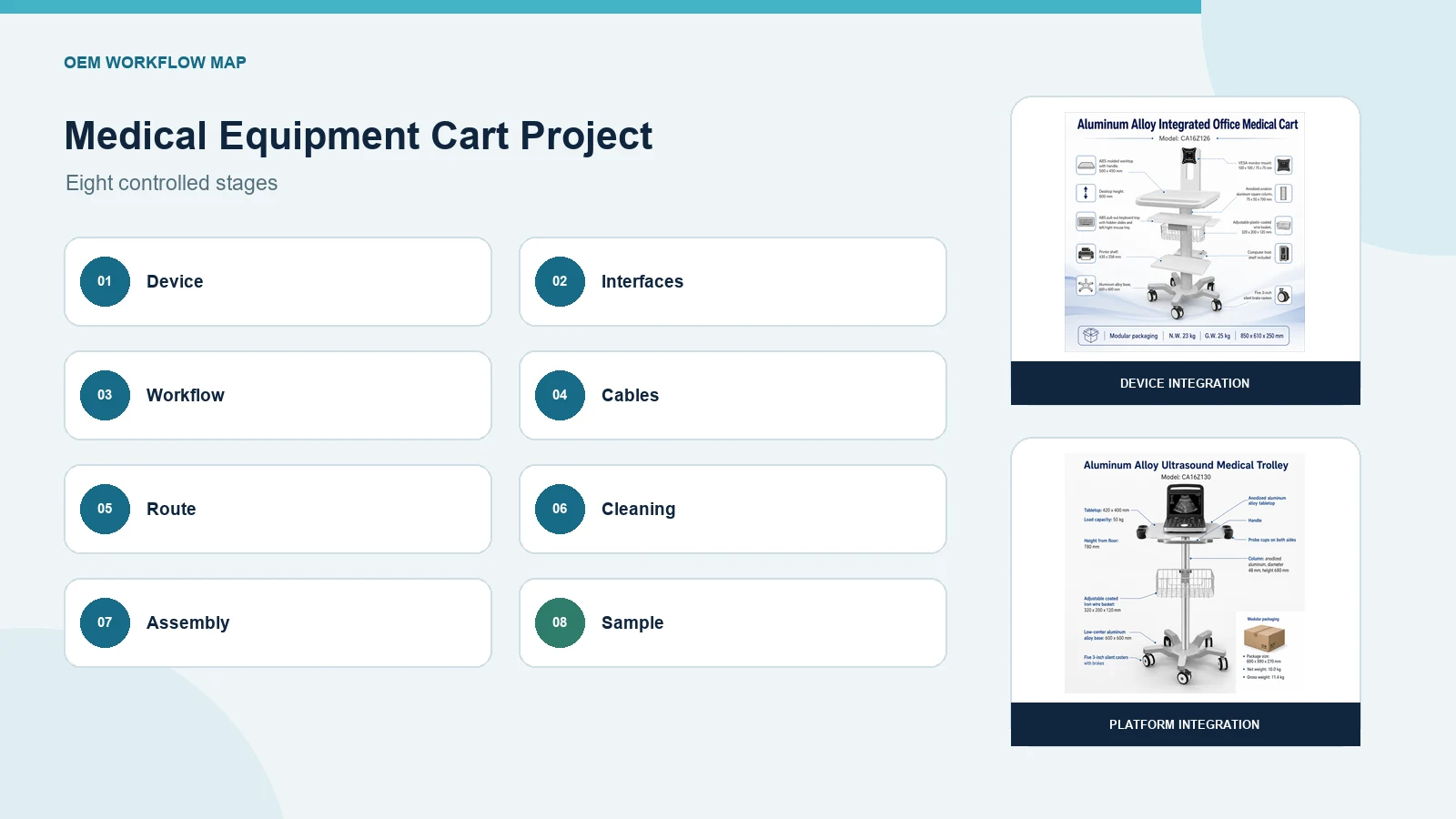
Describe what the operator actually does from storage to use and return. A useful workflow map includes:
- retrieve and inspect the cart;
- move through the representative route;
- park and apply required controls;
- adjust the monitor, work surface or accessories;
- connect devices, power and data;
- use the equipment under its own approved instructions;
- disconnect, clean and inspect;
- return the cart to parking, charging or storage; and
- report damage or configuration changes.
This sequence identifies reach, visibility, retention, cable length, storage and maintenance requirements. Avoid generic claims such as “ergonomic” unless the buyer defines users, tasks, posture limits and an acceptance method.
3. Build an Interface Control Table
A medical cart configurator should capture controlled interfaces, not only colors and accessories.
| Interface | Buyer input | Sample acceptance question |
|---|---|---|
| Device platform | Footprint, feet and underside | Does the device sit in the approved support area? |
| Monitor mount | Hole pattern, mass and movement envelope | Does the exact monitor fit in every approved state? |
| Keyboard/work tray | Device size and user task | Is the tray usable without blocking other components? |
| Printer shelf | Printer feet, paper path and service access | Can paper and consumables be handled as specified? |
| CPU/power enclosure | Component dimensions, heat and cable exits | Are access and component-owner clearances maintained? |
| Accessories | Baskets, probe holders, hooks and drawers | Are items retained and accessible in the right state? |
| Base and casters | Route, floor, footprint and brakes | Does the configured sample meet the agreed route method? |
Each interface should have an owner, drawing reference, revision and verification method.
4. Separate Mechanical and Powered-System Scope
Define whether CRF supplies a passive mechanical cart or an assembly that includes any battery, charger, power strip, inlet, converter, cable or enclosure. The quotation should state:
- included and excluded electrical components;
- destination voltage, plug and connection requirements;
- operation while connected or disconnected from mains;
- grounding and protective-device responsibilities;
- component ventilation and service-clearance inputs;
- charging and parking workflow; and
- responsibility for evaluation of the completed system.
A cart does not automatically inherit the approvals of equipment placed on it. Qualified parties must assess the exact integrated configuration and applicable destination requirements.
5. Map Cables Before Assembly
Create a point-to-point cable schedule with source, destination, connector, controlled length, fixed section, moving section, service loop and disconnect point. Review it against every cart state.
Keep cables outside moving hazards
Check monitor-arm movement, adjustable columns, drawers, printer trays, handles, caster sweep and brake pedals. A cable route that works in one parked state may become pinched or dragged when the cart turns or an accessory moves.
Protect connectors
Connectors should not serve as strain relief. Define retention close to each interface while preserving approved service access and bend guidance from the component owner.
Make service possible
Label both ends when the buyer requires controlled identification. Ensure technicians can replace a cable without dismantling unrelated assemblies or losing the documented route.
6. Review Mass, Footprint and Every Operating State
Provide the mass and location of each device and accessory. Review the completed cart with:
- monitor arm centered and extended;
- printer or device installed;
- tray, drawer or shelf closed and open;
- column at permitted adjustment positions;
- cables connected and stored;
- accessories loaded under the agreed method; and
- cart moving, parked and serviced.
Do not transfer a base-only load statement to the integrated cart. Stability, mobility and structural acceptance require the exact configuration, method and limitations.
7. Survey the Real Route
Record doorway clearances, tight turns, elevator entries, thresholds, floor transitions, crowded work points and parking areas. Include the complete cart envelope and accessory overhang.
Movement
Agree on who moves the cart, permitted handle locations and the representative route. Measure performance rather than relying on words such as “smooth,” “silent” or “easy.”
Parking
Confirm footprint, brake access, cable connection, ventilation and user access in the parked state.
Work point
Measure nearby beds, desks, equipment, outlets and other carts. Check whether devices can be viewed, connected and serviced without uncontrolled collisions.
8. Specify Cleaning and Maintenance Inputs
The responsible organization should provide cleaning agents, concentrations, contact times and process. Review material compatibility and access around:
- work surfaces and handles;
- mount joints and adjustment controls;
- baskets, drawers and corners;
- cable retainers and power enclosures;
- caster forks, brakes and base junctions; and
- labels and replaceable parts.
Define inspection frequency, damage criteria, quarantine steps and replacement-part identification. This article does not prescribe infection-control practice.
9. Control the Medical Cart Assembly Package
Before assembly approval, issue a controlled package containing:
- general-arrangement and interface drawings;
- approved bill of materials;
- device and accessory schedule;
- cable-routing drawing;
- fastener and retention requirements;
- assembly sequence and inspection points;
- labeling requirements;
- packaging configuration; and
- deviation and change-control process.
The assembly record should identify the actual model and revision of critical components. Substitutions require documented review rather than informal replacement on the production floor.
10. Use a Representative Prototype
A prototype should contain the real devices and accessories where possible, or controlled interface equivalents approved by the buyer.
Mechanical fit
- Devices and fixtures match the drawings.
- Controls, vents, connectors and service panels remain accessible.
- Retention engages and releases by the agreed method.
- No part interferes across approved movement states.
Cable and accessory behavior
- Every cable follows the controlled route.
- Loops remain outside casters, floors and pinch zones.
- Stored accessories remain inside the approved movement envelope.
Route and operation
- The configured cart follows the representative route under the buyer’s method.
- Parking controls remain accessible.
- Approved tasks can be reviewed at the representative work point.
Documentation
- Sample identity matches the current drawing and BOM.
- Deviations and corrective actions are closed.
- Approval owners sign the agreed acceptance record.
Prototype approval applies only to the controlled configuration and method.
RFQ Checklist
Send CRF:
- Device and accessory schedule with models, revisions and masses.
- Drawings, samples and interface files.
- Monitor, printer, computer, ultrasound unit or other equipment requirements.
- Required mounts, trays, baskets, drawers, handles and enclosures.
- Cable and power architecture with responsibility matrix.
- Workflow and permitted adjustment states.
- Maximum footprint and route survey.
- Caster, brake and parking requirements.
- Cleaning and maintenance process.
- Destination market and required evidence.
- Prototype quantity and acceptance criteria.
- Forecast, packaging and change-control expectations.
Common OEM Project Mistakes
Choosing accessories before freezing the device
An attractive monitor arm or printer shelf is not useful if the real equipment does not fit its controlled interface.
Treating the product photo as a bill of materials
Images do not define included devices, power components, fasteners or accessories. Confirm them in the quotation and BOM.
Approving an empty cart
Mounted equipment and extended accessories can change geometry, cable behavior and movement. Review the complete representative assembly.
Ignoring revision control
A new monitor, power supply or enclosure can invalidate fit and documentation. Link every approval to model and revision.
FAQ
What information does a medical equipment cart manufacturer need first?
Provide the exact devices, dimensions, masses, interfaces, cables, accessories, workflow, route and acceptance method before requesting a controlled configuration.
Can CRF customize an existing cart platform?
CRF’s live catalog shows multiple configurable medical-cart structures. Feasibility depends on the requested device package, interfaces, operating states, evidence and commercial review.
Is a medical cart configurator enough for approval?
No. A configurator can collect choices, but controlled drawings, a BOM, representative sample and acceptance record are still required.
Who is responsible for the completed powered system?
Responsibilities must be defined project by project. The quotation should separate passive cart scope from batteries, chargers, power distribution, wiring and complete-system evaluation.
When should the sample be re-evaluated?
Re-evaluate affected requirements when devices, mounts, casters, cables, accessories, materials or operating states change.
Request a Medical Equipment Cart Project Review
Send CRF the controlled device package, interface drawings, cable map, route survey and sample acceptance plan. CRF can identify missing inputs and compare suitable existing or custom cart directions for an OEM/ODM quotation. Request a configuration-specific RFQ.
Internal links
- View the verified CRF medical computer cart with monitor mount and printer shelf
- View the verified CRF ultrasound medical cart
- Browse CRF medical carts
CTA: Request a Quote — attach the device list, interface drawings, route survey and prototype acceptance criteria.
Editorial limitations: B2B procurement education only. No load, stability, electrical classification, certification, clinical result, price, stock, MOQ or lead-time claim is made.