
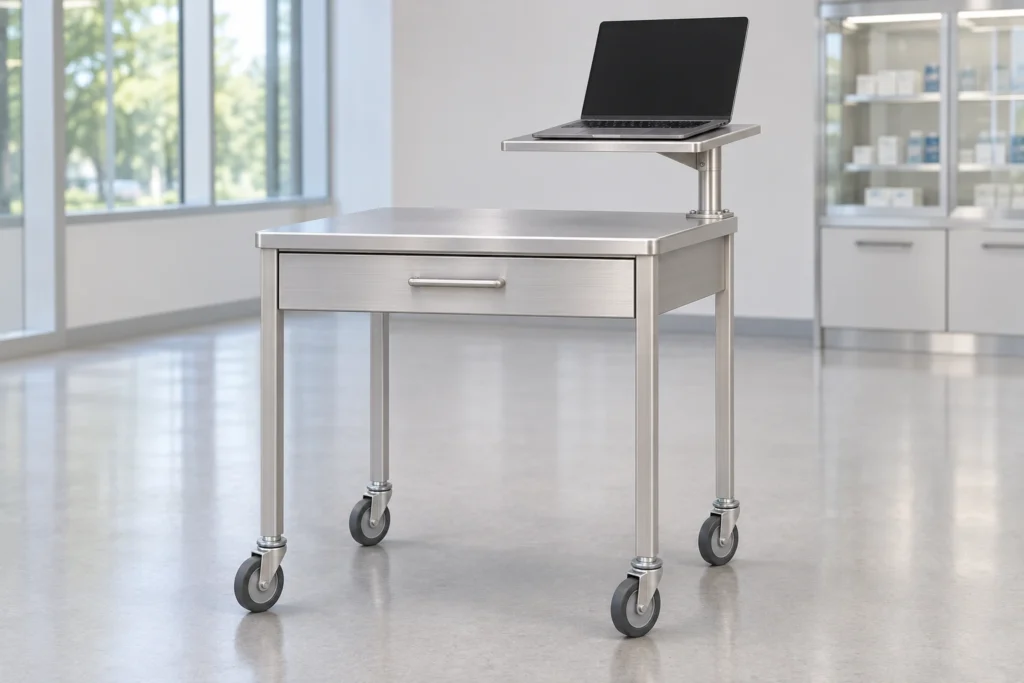
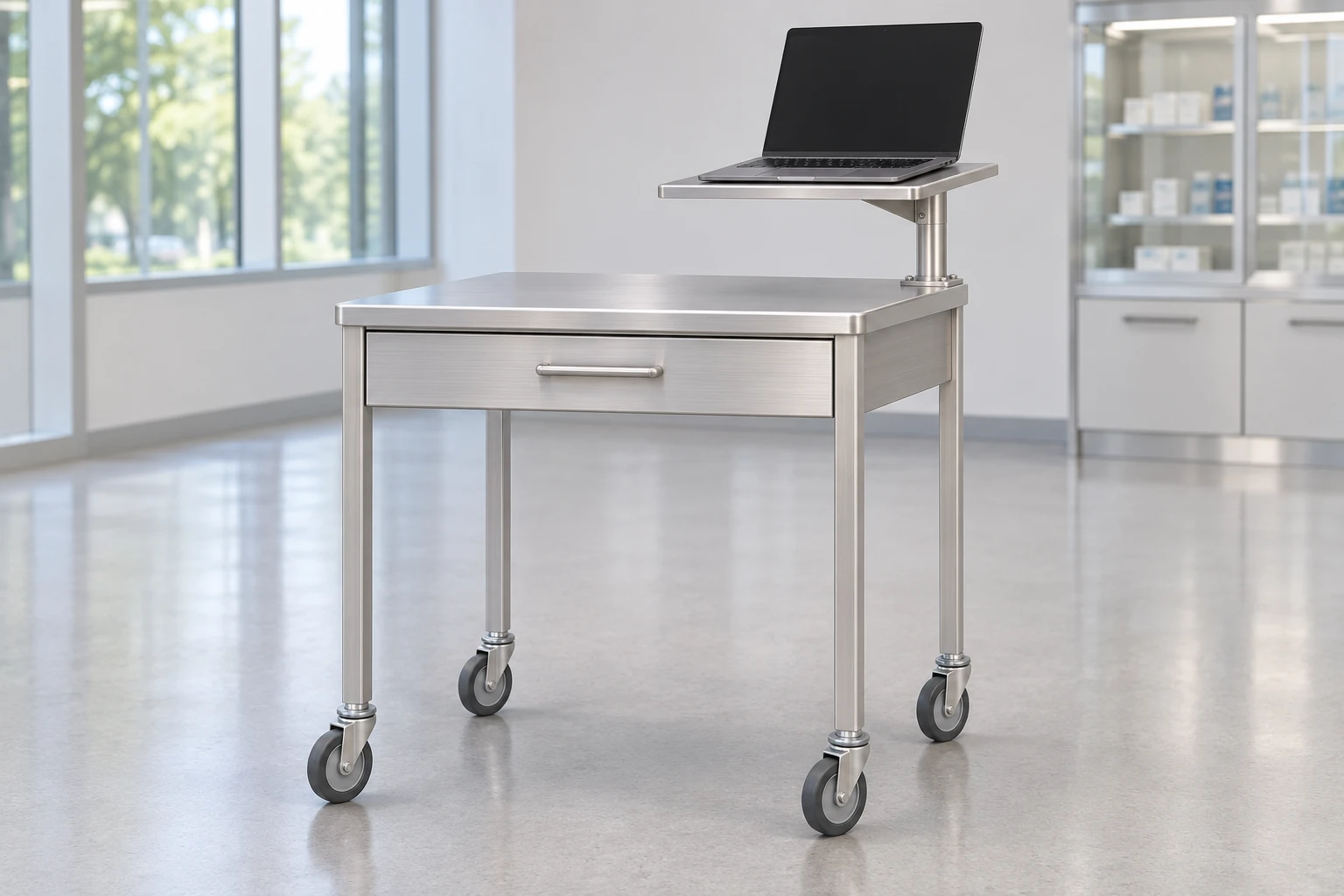
A med cart laptop mount makes sense when the existing cart still does its main job well and its manufacturer can confirm an approved mount for the exact cart revision. Start with the cart interface, not the laptop’s screen size. If the mount would block drawer access, crowd the work surface or add a load the supplier cannot approve, compare a dedicated laptop cart before committing to a retrofit.
Compare three ways to carry the laptop
| Option | Where it helps | What to verify before ordering |
|---|---|---|
| Raised fixed or swivel platform | The worktop must stay available and the laptop can sit in a defined position. | Approved attachment, platform dimensions, retention, lid travel and access below the platform. |
| Articulating laptop arm | Users need to move the laptop out of the way or change its position frequently. | Approved arm and bracket together, the loaded reach envelope and a defined position for movement. |
| Dedicated laptop cart | The existing cart cannot accept an approved mount, or the laptop is the primary tool rather than an add-on. | Usable worktop, available storage, working posture and the quoted equipment list. |
A raised platform is not necessarily an option on an already delivered cart. For example, one manufacturer’s adjustable med cart laptop mount is listed as factory-install only. Treat that as a model-specific condition, not a rule for all mounts. If the seller can confirm only that the holes line up, ask whether that combination is approved for this cart and who is authorized to install it.
Start with the frame and bracket, then size the platform
Record the cart model, revision and any relevant options already installed. Send the supplier photos of the complete cart and the proposed attachment area, along with the available drawing or factory accessory reference. Ask for the mount part number, bracket and hardware list, approved configuration and installation responsibility in writing. Don’t ask a supplier to confirm fit from a photo of the worktop alone: the surface may look identical across carts with different support underneath.
For the laptop, put the chassis width, depth and weight on the same sheet as the port locations and hinge travel. A screen diagonal does not tell you where the feet rest or whether a power plug protrudes past the edge. If the unit is kept in a protective case, take measurements with the case fitted. If the device is replaced frequently, name the approved device variants instead of describing the mount as universal.
Look at retention and removal as separate questions. A platform must support the device in the intended position, and the approved restraint must not obstruct essential controls or damage the chassis. Ask how a technician can remove the laptop for service and how staff know it has been correctly resecured. Do not improvise drilling or substitute an arm, bracket or fastener on the basis of apparent fit.
Review working clearance and the travel position separately
Use the quoted configuration for an approved sample review. In the working position, see if staff can open the laptop, type, reach the cart controls and use the top drawer without moving something else first. If moving the screen is necessary to open a drawer, note how often that would happen. A modest conflict on a demonstration unit can become a repeated interruption in daily use.
In the travel position, ask which parts must be folded, secured or removed. Record whether the mount or screen extends past the cart’s protected outline and whether the intended handle remains usable. Check that cable exits and slack in the working position don’t leave a dangling loop after stowing. For a moving arm, request review of the maximum authorized reach with the actual device fitted; empty-arm movement isn’t evidence that the loaded setup is acceptable.
Ask the supplier what combination has been assessed and what remains subject to the buyer’s site review. Site trials can reveal workflow and access problems, but they do not replace the manufacturer’s instructions or applicable engineering, electrical or facility review. Keep front-drawer clearance, rear-wall clearance and transport clearance as separate entries; one pass does not establish the others.
Ask for two comparable quotes
If retrofit feasibility remains open, quote the approved mount with installation scope and compare it with a complete workstation for the same task. List what the buyer already owns, what the supplier includes and what another team must provide. That exposes a common costing gap: the mount quote may omit installation, whereas a new cart quote may omit the computer, restraint or power subsystem.
The CRF CA18Z113 laptop equipment cart is a first-party example of a dedicated layout with a handled work surface and a separate lower keyboard tray. It is a comparison reference, not evidence that CRF supplies a retrofit arm or that it fits an existing cart. The computer and tablet cart catalog shows other configurations to discuss if the main requirement is a replacement platform rather than an accessory for another maker’s cart.
At quote comparison, write the acceptance result beside each requirement: “manufacturer confirmed,” “review on sample,” or “not confirmed.” Keep a required but unconfirmed feature out of the approved purchase specification. A cheaper mount still isn’t an equivalent bid if the approved attachment and loaded review are absent.

FAQ
Will a universal laptop tray fit my medication cart?
Not necessarily. The laptop-to-tray interface and the tray-to-cart interface are different checks. Ask for the approved bracket and hardware for the exact cart and revision.
Is a swivel mount the same as an articulating arm?
No. Swivel changes orientation about a pivot; an articulating arm may change reach as well. Check the actual movement, stops and permitted positions on the quoted model.
Should we retrofit every cart in a fleet at once?
First separate the cart revisions and existing options. Review a representative approved configuration before repeating the order. A result for one frame and accessory set does not establish fit across the fleet.
What should we send for a configuration comparison?
Send the cart model and revision, laptop dimensions and weight, photos of the proposed interface, a list of existing accessories and the tasks that must stay accessible. If the primary task is laptop work, ask for a dedicated configuration as a separate option.
Request a configuration review
Send an RFQ with the existing cart and device details if you are comparing a retrofit with a dedicated CRF laptop workstation. We can discuss CRF cart configurations; confirm third-party retrofit compatibility with the original cart and mount manufacturers.