

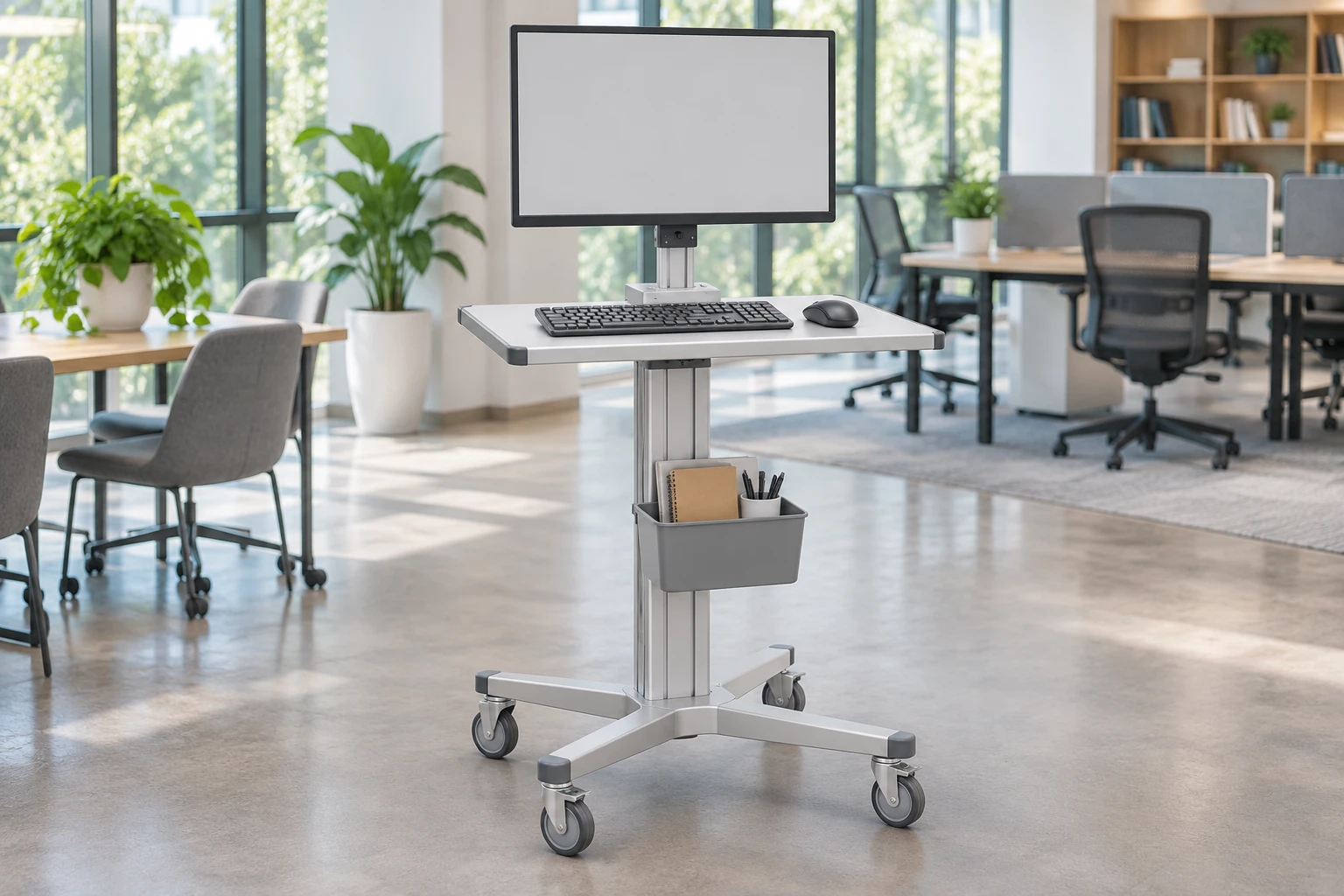
The best computer cart is the one that supports your actual computer, input devices, working positions and travel route as a complete setup. A compact laptop platform, a cart for a separate desktop PC and a shared adjustable workstation solve different problems. There is no evidence-based universal winner without knowing the task and evaluating the proposed equipment.
Start by choosing the computer arrangement, then compare the workspace, movement, storage and support requirements. This guide covers office and shared-workspace decisions as well as equipment-oriented uses. It is not a brand ranking, a shopping-price comparison or a claim that an illustrated computer is included with a cart.
Choose the computing arrangement first
Laptop-focused cart
A laptop cart can suit a task that uses the notebook’s own display and keyboard. It may also carry an external pointing device or other small equipment. Review the open-lid arrangement, not only the closed laptop dimensions. Connector locations, the power adapter and the space used by the mouse can change how much usable worktop remains.
If users need a separate display or keyboard, include those items in the comparison from the beginning. A laptop surface plus several added brackets may be less straightforward than a platform intended for that complete arrangement. Neither option is inherently better; the assembled workspace determines the useful choice.
Separate desktop PC and display
A desktop arrangement needs defined places for the PC, display, keyboard and pointing device. Review equipment retention, ventilation and service access as well as nominal fit. A holder that accommodates the case dimensions can still obstruct a connector or removable panel.
For that specific subtask, see the computer cart CPU holder review. It is a supporting interface guide, not a replacement for evaluating the whole computer cart.
Shared workstation
When several users share a cart, setup changes become part of the workflow. Determine which surfaces and equipment must move, how adjustments are operated and whether the actual users can reach the controls. Do not assume that a height-adjustable worktop also provides independent display adjustment.
A fixed arrangement may be appropriate for a consistent task; an adjustable arrangement may be worth reviewing when working positions vary. The available adjustment range and suitability must come from the proposed product information and user evaluation, not from the generic word ergonomic.
Use a whole-setup comparison
| Setup | Main advantage to investigate | Common limitation to check | Evidence to request |
|---|---|---|---|
| Laptop-focused | A compact computing arrangement | Open-lid space, connectors and input surface | Actual laptop layout on the proposed worktop |
| Separate PC and monitor | Defined display and equipment placement | Case retention, ventilation and service access | Mount details and assembled equipment plan |
| Shared workstation | Adjustment for different tasks or users | Control access and time needed to reset the workspace | User evaluation with the actual equipment |
The table describes questions, not measured performance. Do not interpret it as a claim that any cart class always occupies less space, lasts longer or improves productivity.
Compare usable workspace, not only top dimensions
List everything that must be accessible during the task: computer, keyboard, mouse, documents, scanner or other peripherals. Separate equipment that stays mounted from items that are temporarily placed on the worktop. Check whether moving one item blocks another.
Also distinguish nominal dimensions from usable geometry. Rounded corners, supports, raised edges and brackets can affect placement. A keyboard tray should be reviewed with the keyboard and pointing device together. If a drawer is proposed, inspect its opening path and whether the working equipment must move before it can be accessed.
Cornell’s healthcare computer cart ergonomic checklist organizes a specialist cart review around maneuvering, worksurfaces, screen reading, storage and hygiene. Its stated focus is powered healthcare computer carts; it should not be treated as a universal office-product certification or copied into an unsupported claim that a candidate passes.
Review movement and parking in the real space
A cart that fits at the working position must also pass through its travel route. Check the complete arrangement, including equipment projections, handles and open or stowed accessories. Review where it will park and whether the equipment can remain connected or must be disconnected under the intended operating procedure.
Compare caster and base details using the supplier’s actual specifications. Caster count alone does not establish handling, stability or suitability for a floor. Review the assembled cart and follow its instructions. Do not use a concept picture to infer load capacity, brake function or a tested movement envelope.
For occasional movement, a simpler workstation may be adequate. For frequent relocation, the way users move, stop and reset the setup deserves more attention. This is a task distinction, not a blanket performance claim about one cart design.
Make power and supplied contents explicit
A wheeled computer platform does not automatically include a power system. A laptop’s internal battery, a separate power adapter and an integrated powered workstation are different arrangements. Identify what the cart supplier provides and what the buyer must source.
Likewise, a monitor or PC in a photograph may be illustrative. Ask for the exact included items, mounting components and optional accessories. Do not compare a bare frame price with an equipped workstation price as if the difference represented only the seller’s margin.
CRF’s equipment and workstation range provides examples for configuration discussions. Although many products are presented for equipment-related applications, buyers should confirm the intended office or shared-workspace arrangement rather than assume that an application label guarantees suitability.
Make the final comparison practical
Build a shortlist around the same equipment list and task. Record mandatory requirements, open questions and reasons to reject a candidate. Ask suppliers to identify configuration changes required to meet the brief. Keep alternatives separate so an apparently attractive option does not silently change what you are buying.
Before a wider purchase, review a representative complete setup where feasible. Include the people who will use and maintain it. A useful review produces a configuration reference and specific findings, not an unsupported star rating. Price, delivery and after-sales terms should then be compared for that defined scope.

FAQ
Which computer cart is best for a laptop?
One that supports the open laptop and complete task without obstructing connectors or input space. The answer depends on the laptop and accessories, not just its screen diagonal.
Can a laptop cart carry a desktop computer?
Only if the proposed configuration provides suitable support, retention, ventilation and access. Do not assume compatibility because the computer can physically sit on a shelf.
Is height adjustment essential?
Not for every task. Compare the working positions and actual users, then verify the proposed adjustment features. Adjustability is a feature to evaluate, not a guarantee of comfort.
Are the computer and monitor included?
Confirm the quotation. Workstation terminology and illustrative pictures do not establish supplied contents. Please contact us with your equipment list and requested scope.
Request a configuration comparison
Use the B2B RFQ form to share your computer arrangement, tasks, workspace and expected quantities. Request a clearly identified cart configuration with inclusions and open compatibility questions. The best purchase is a suitable complete setup, not merely the cart with the longest feature list.