
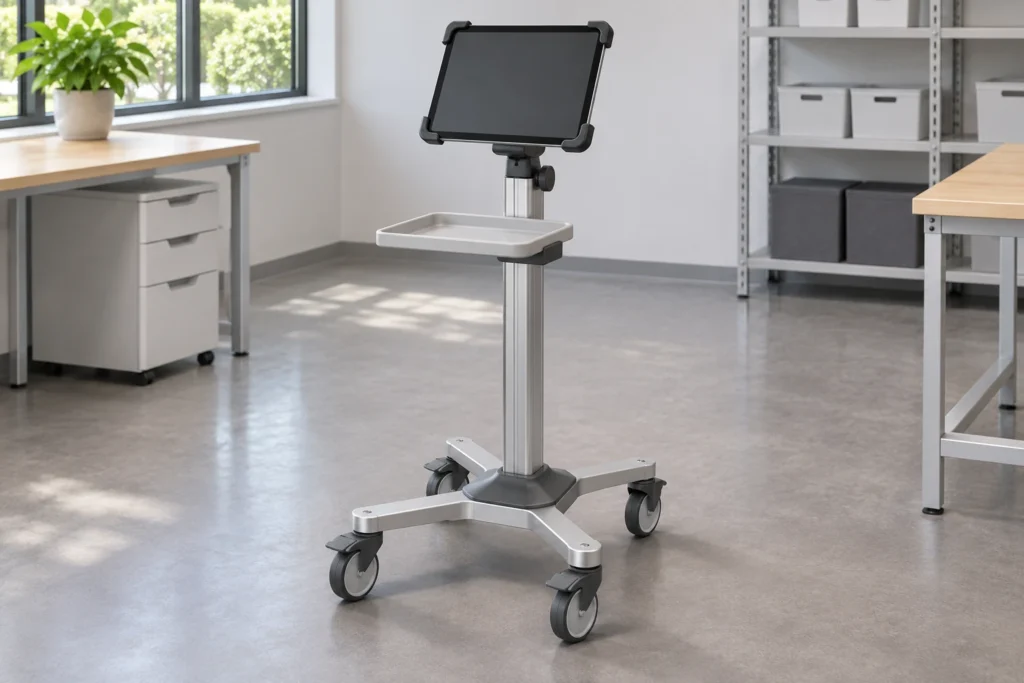

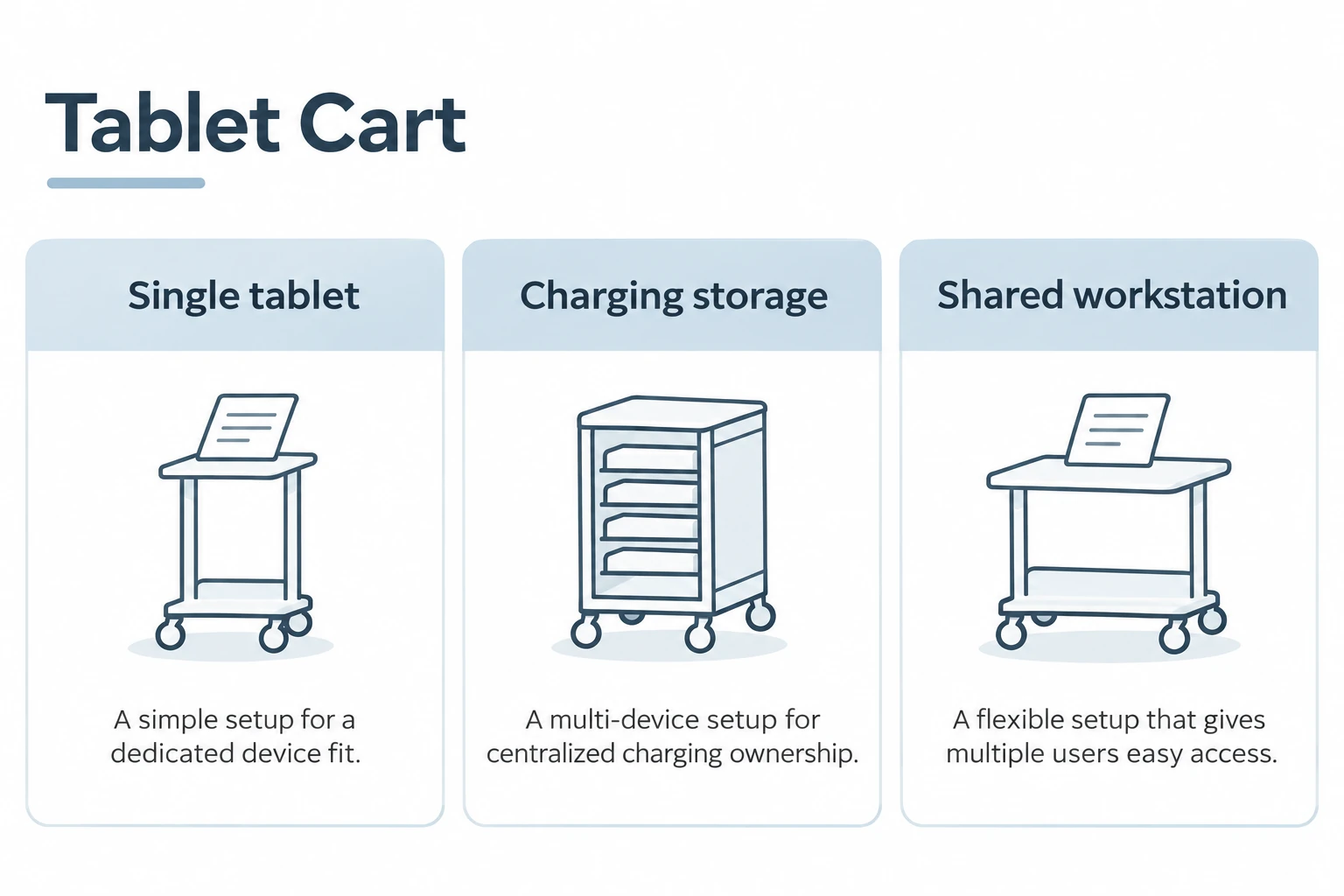
A tablet cart can support one tablet during use or store and charge a group of tablets between uses. Those are different products. A single-device workstation is selected around viewing, touch interaction and movement; a charging-storage cart is selected around device count, storage access and an evaluated charging arrangement. Before comparing prices, decide whether the cart moves a working screen, a fleet of devices, or both.
For a medical-equipment buyer, the distinction matters because a compact tablet stand cannot replace fleet storage, and a charging cabinet is not necessarily a practical bedside workstation. A product name or photograph may suggest both functions without explaining either. Define the job first, then compare the architecture and the exact supplied configuration.
Start with the device lifecycle
Write a short sequence describing where tablets begin, who collects them, how they are used and where they return. Separate movement while in use from movement between storage locations. A screen that remains mounted throughout the shift needs different access and retention arrangements from devices handed out individually.
Include protective cases and accessories. The working assembly may include a charger connector, barcode reader, keyboard or tether. Whether these are required depends on the application; none should be assumed from a generic scene. Record who provides each item and who confirms the complete arrangement.
Compare three practical configurations
| Configuration | Primary task | Key selection inputs | Important limitation |
|---|---|---|---|
| Single-tablet stand | Position one working screen | Holder fit, viewing position, touch access and movement | Does not provide fleet storage by default |
| Multi-device charging storage | Store, distribute and recharge several devices | Actual device/case envelope, connection arrangement and access process | Does not establish a usable single-screen workstation |
| Shared work-surface cart | Support a tablet plus task materials or input devices | Work area, retention, accessory layout and operator clearance | Extra surface does not prove secure storage or onboard power |
A mixed requirement may need two coordinated products rather than one overloaded configuration. For example, centralized storage and charging can be separate from a lightweight use-position stand. That choice should follow the organization’s workflow, not an assumption that every function must fit on one cart.
Single-device carts: fit the case, not the screen label
Nominal screen size does not describe the outside dimensions of a tablet in its case. Check the complete device envelope, edge thickness, button positions, cameras and connector access. A holder that grips the bare tablet may interfere with a rugged case or squeeze a side control.
Ask how the device is inserted and removed. If the tablet is shared across shifts, the removal procedure may be used frequently. If it stays mounted, maintenance and replacement access may matter more. The retention method must suit the actual device and approved use; a picture of a similar tablet is not universal compatibility evidence.
Review portrait and landscape positions separately when both are needed. Connector clearance can change after rotation. A cable that exits freely in one orientation may be trapped by the holder in another. Confirm the actual positions and cable arrangement on a representative assembly rather than relying on a broad adjustment description.
Viewing and touch tasks are different from storage
A single-tablet workstation should be evaluated where people use it. Identify whether tasks involve brief viewing, repeated touch input, scanning or longer documentation. Those differences affect position, reach and accessory space. An adjustable column provides a choice of positions but does not prove that every user or task is accommodated.
Check whether a user can approach the screen without the base blocking the intended stance. Review the holder and tray together, including the device-removal direction. If accessories are added later, repeat the affected clearance review. Do not infer a tested posture benefit or clinical outcome from an attractive setup.
The cart is equipment-support furniture, not a walking aid or patient-transfer device. Illustrations and instructions should keep that distinction clear. Any clinical use remains subject to the device instructions and the organization’s applicable review.
Charging-storage carts: define the complete device bay
Fleet storage starts with the number and type of devices, but advertised slot count is not enough. Cases, connectors and cable bends consume space. Request usable bay dimensions and confirm the actual device arrangement, including whether devices must be inserted in one orientation.
Decide who connects and disconnects devices and how missing or damaged cables are handled. A storage arrangement that is convenient for an administrator may slow distribution if users cannot identify their assigned devices. Labels and access procedures should fit the organization’s process without exposing personal information.
Charging is a separate technical scope. Identify whether the supplier provides a cabinet only, cable management, chargers, power distribution or an integrated system. Qualified parties must review applicable electrical and destination requirements. This article does not prescribe wiring, battery treatment or a charging circuit design.
Shared work surfaces: useful space versus unnecessary bulk
A work-surface cart can accommodate a tablet and task materials, but it may occupy more room than a dedicated stand. List the actual objects used together and distinguish permanent accessories from occasional items. A broad tabletop that is mostly empty may complicate parking and approach without improving the task.
If a keyboard is needed, compare its working position with the tablet display. If the tablet is used primarily for touch input, a keyboard tray may add an unnecessary projection. Keep the comparison tied to the user’s real work instead of treating every accessory as an automatic upgrade.
Storage, input space and device retention should be quoted separately. A basket is not a secure compartment; a tray is not a device holder; a charging cable is not onboard power. Naming each function prevents a visually busy configuration from hiding an incomplete supply scope.
Compare mobility in the actual operating state
Use the assembled cart with representative devices and accessories for the agreed route review. Check turning, parking, doorway access and the space needed to remove the tablet. Include protruding connectors and accessories in the movement envelope.
Caster count alone does not establish handling or stability. The route, loaded arrangement and permitted adjustment positions matter. Define acceptance criteria with the responsible reviewers and keep results tied to the approved configuration. A change in holder, tablet case or accessory position can require a new fit review.
For cleaning and inspection, provide the organization’s process and relevant agents. Review access to grips, joints, holder contacts and cable retainers. Do not assume a finish is compatible with every cleaning product or that a cart inherits the approvals of a mounted tablet.
A quotation that answers the real question
Ask each supplier to identify the architecture and provide a configuration list. Separate the cart, holder, tablet, case, power components, accessories and assembly services. Confirm the drawing revision, packaging scope and sample-approval steps.
For repeat orders, record the approved device and case revisions. A replacement tablet with the same nominal screen size can alter the interface. Keep substitution review simple but explicit: check what changed, which clearances are affected and whether the holder and documentation still match.
FAQ
Does a tablet cart always include charging?
No. It may be a passive stand, a work-surface cart or a charging-storage system. Confirm charging components and responsibilities in the itemized quotation.
Can a charging cabinet replace a single-tablet workstation?
Not automatically. Storage capacity does not establish a usable screen position, touch access or an appropriate approach envelope. Compare the actual task before combining these functions.
Does the same screen size mean the same holder fit?
No. Outside dimensions, case thickness, buttons, cameras and connector positions differ. Check the exact device-and-case assembly.
Is a generated scene evidence of included equipment?
No. Concept equipment illustrates a possible use. Included items and compatibility must be confirmed in the actual quotation and approved configuration.
Plan a CRF tablet-cart discussion
Review the medical tablet-cart integration guide for a more detailed device-interface review and CRF medical carts for current equipment-support directions. CRF’s equipment-cart business does not by itself establish that a fleet-charging cabinet is available for your requirement; ask about the specific scope.
Please contact us with the device and case details, intended use, storage quantity if relevant, accessory list and power responsibilities. Request an RFQ and configuration review to separate a single-device workstation requirement from charging-storage or shared-workspace needs.