
Original procurement guide cover; not a product photograph or installation scene.
A medical computer cart printer shelf should be reviewed against the exact printer, its operating and service clearances, the attachment method and the complete cart configuration—not only the printer’s footprint. For OEM buyers, the useful deliverable is a documented fit record and sample review with the intended printer installed. A shelf appearing in a product photograph does not establish universal printer compatibility or a load rating.
This B2B procurement guide focuses on the printer interface within an aluminum-alloy equipment workstation. It does not approve an installation: qualified engineering personnel must assess mounting, retention, complete-cart loading, stability and electrical integration for the actual configuration before deployment. It is not a general cart selection guide, an electrical installation instruction or a claim that any particular printer is approved for clinical use.
Start with an exact printer model and revision
Before requesting a quote, send the printer manufacturer, model, dimensional drawing and current installation manual. Identify any optional trays, power adapter, interface cables and mounting accessories. Two printers with similar closed dimensions can need different space when their covers open or paper trays extend.
Build the review around the actual workflow: document printing, label printing or another defined task. These are project inputs, not promised functions of the cart. Where patient information is printed, the deploying organization should define its own privacy, print-release and disposal procedures.
Record more than the closed footprint
The device record should distinguish:
- Closed dimensions and the installed mass, including normal consumables and accessories.
- The surfaces that need support and any manufacturer-approved mounting points.
- Paper loading, output and jam-clearing directions.
- Cover travel and removable component clearance.
- Vent locations, cable connector positions and plug withdrawal space.
- Power and data requirements from the device documentation.
Do not estimate these values from a promotional image. Request a drawing or measure the actual device for the sample review.
Compare shelf arrangements by the jobs they must support
| Arrangement to evaluate | Potential reason to consider it | Review before approval |
|---|---|---|
| Open shelf | Direct access to the printer and consumables | Retention, exposed cable paths, protrusions and the approved loading condition |
| Partially enclosed printer area | More defined positioning within the workstation | Vent access, paper output, cover travel and removal for service |
| Project-specific holder or bracket | A repeatable position for a defined printer | Approved attachment points, access, assembly instructions and replacement-device compatibility |
These are options for discussion, not a statement that every arrangement is available for every CRF model. Enclosing a printer does not automatically improve hygiene, retention or electrical safety. Any change should be evaluated as part of the complete workstation.
Use a real CRF reference without assuming compatibility
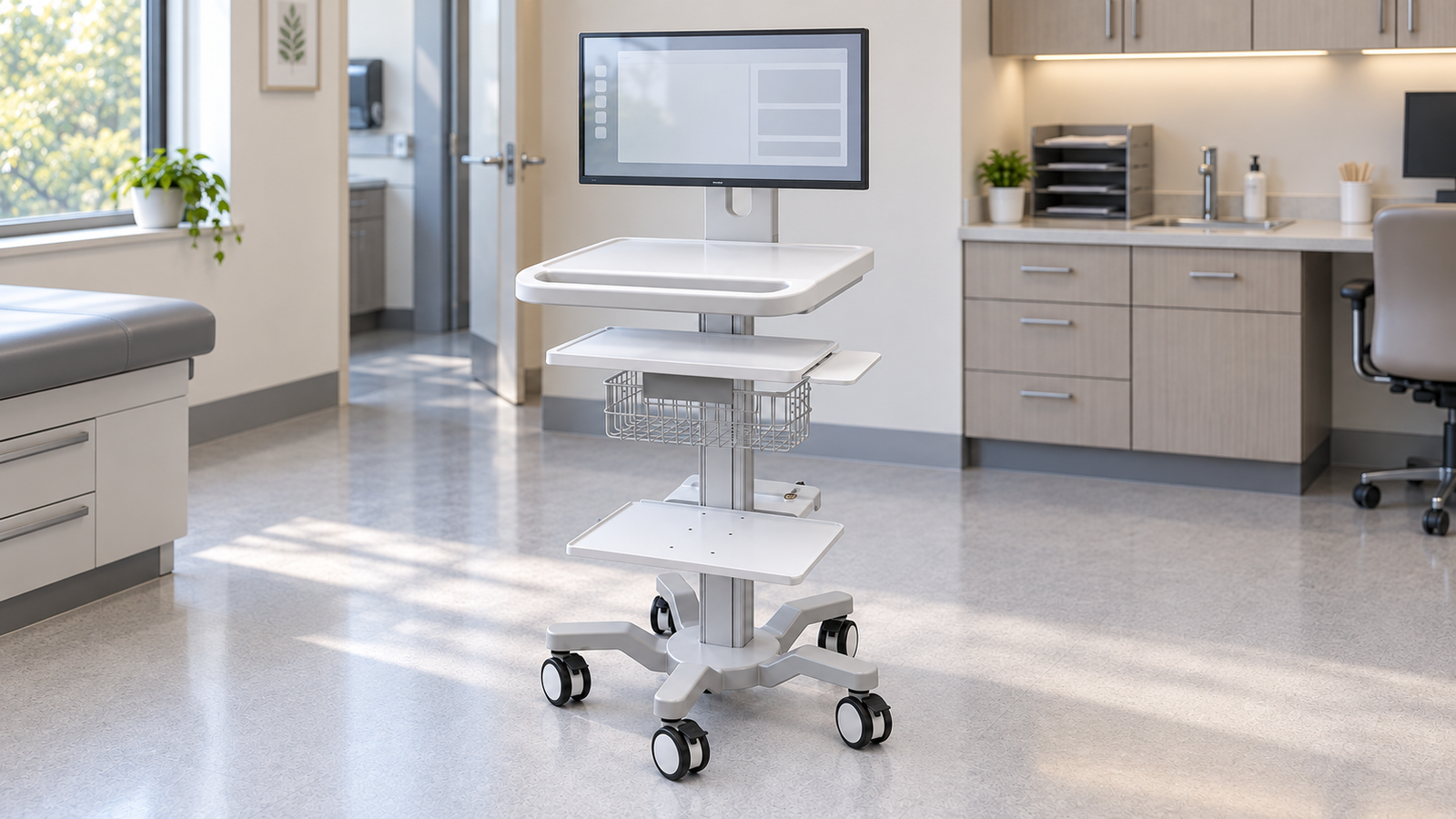
The CRF CA16Z126 medical computer cart with monitor mount and printer shelf is a current reference for this configuration discussion. Its published description includes a printer area alongside monitor, keyboard/work and computer-host support.
That description establishes a relevant product family, not fit with your selected printer. Ask CRF to confirm the current shelf drawing, attachment arrangement, included accessories and configuration-specific loading information in the quotation. Do not interpret a power shell as proof of an included battery, an approved electrical system or a specified runtime.
For the wider workstation review, use the medical computer cart integration checklist. Keep the printer-fit record as a separate annex so the general integration article and this accessory-specific guide serve different procurement questions.
Review use and service access on the assembled cart
A printer can fit on a shelf while being difficult to reload or remove. Review the sample in its intended configuration, with the actual monitor, keyboard arrangement and other project accessories present.
Run a task-based access check
Have the project team, under qualified project supervision and following the printer manufacturer’s instructions, demonstrate normal paper loading, output collection and permitted service access on the sample. Do not carry out energized maintenance or unapproved modifications as part of this procurement check. Record whether any cover or tray collides with the column, work surface, cable retainers or another accessory. Do not improvise modifications to the printer housing to resolve a fit problem.
Include the cable path in the record, but do not duplicate the entire cable-management specification here. Check that plugs can be accessed and that normal service removal does not depend on damaging or trapping the cable. Qualified personnel should review the electrical arrangement against the equipment documentation and destination requirements.
Treat retention and cart behavior as separate acceptance items
Footprint fit is not retention. Ask how the proposed printer is secured, whether any fixing uses approved device interfaces and how the supplier documents the arrangement. Do not assume a shelf lip or a brake prevents every movement condition.
Qualified engineering personnel must separately assess the complete cart’s loading distribution, retention and intended movement conditions for the specific configuration. This article supplies no safe-load figure, stability result or threshold-crossing approval. Do not use a printer shelf as a seat, step or patient support.
Procurement checklist for sample approval
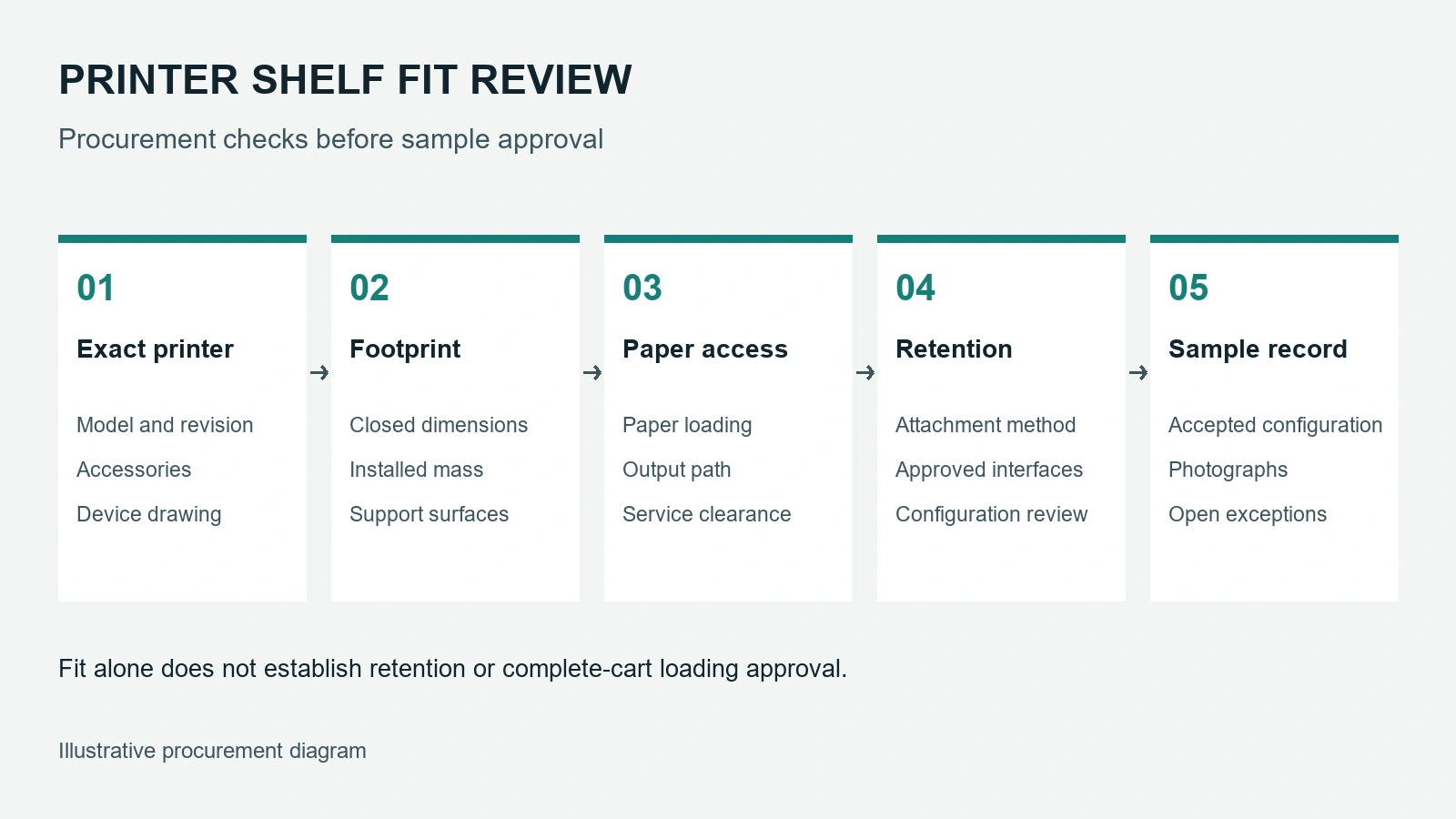
Ask for a written record covering the following before volume ordering:
- Exact printer model, accessories and drawing revision.
- Shelf and retention drawings with the included hardware identified.
- Loading requirements and the supplier’s configuration-specific response.
- Successful demonstration of normal paper handling and required service access.
- Cable and electrical review responsibilities.
- The approved sample configuration, photographs and unresolved exceptions.
- Replacement-printer rules: what changes trigger a new review?
- Packaging, assembly instructions and spare-part identification for the agreed configuration.
Agree commercial terms separately. This checklist does not state a price, MOQ, inventory position or lead time.
FAQ
Is a printer shelf compatible with every small printer?
No. Closed dimensions alone do not establish fit. Cover travel, paper paths, cables, installed mass and the approved retention method also need review.
Does a medical computer cart automatically include printer power?
No. Confirm the quoted electrical configuration and its scope. A housing or mounting area should not be treated as evidence of a supplied battery or approved power distribution system.
Can the printer be changed after sample approval?
A replacement should be checked against the approved record. Changes to dimensions, mass, interfaces or service access can require another configuration review.
Request a printer-fit review
Send CRF your printer model, drawings, installation manual, intended workstation accessories, loading requirements, destination and order quantity. Reference CA16Z126 when requesting a configuration review, or request a B2B quotation. Compatibility and final specifications must be confirmed for the quoted configuration.
For procurement enquiries, email sales@szcrftech.com.