

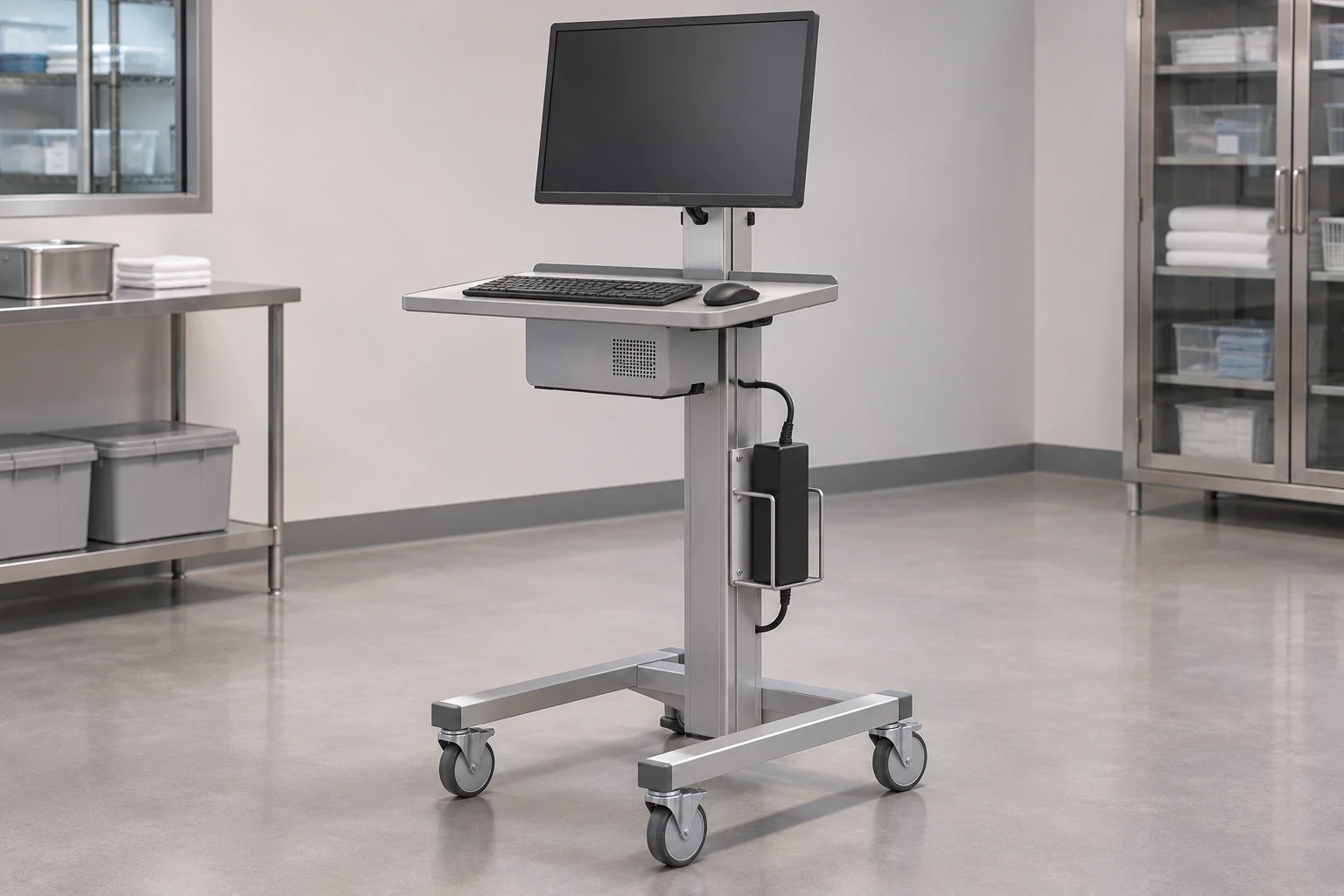
A medical computer cart power adapter should be placed only after reviewing its physical envelope, ventilation instructions, cable exits, service access and retention method with the equipment and cart suppliers. A shelf or enclosure described as a “power shell” does not establish electrical compatibility, battery capability or approval for use with medical equipment. Review the complete proposed configuration before ordering.
For an equipment integrator, the deliverable is a documented placement decision, not simply a bracket that appears large enough. This guide explains which information to collect without prescribing an electrical installation or claiming that any CRF cart includes an approved power system.
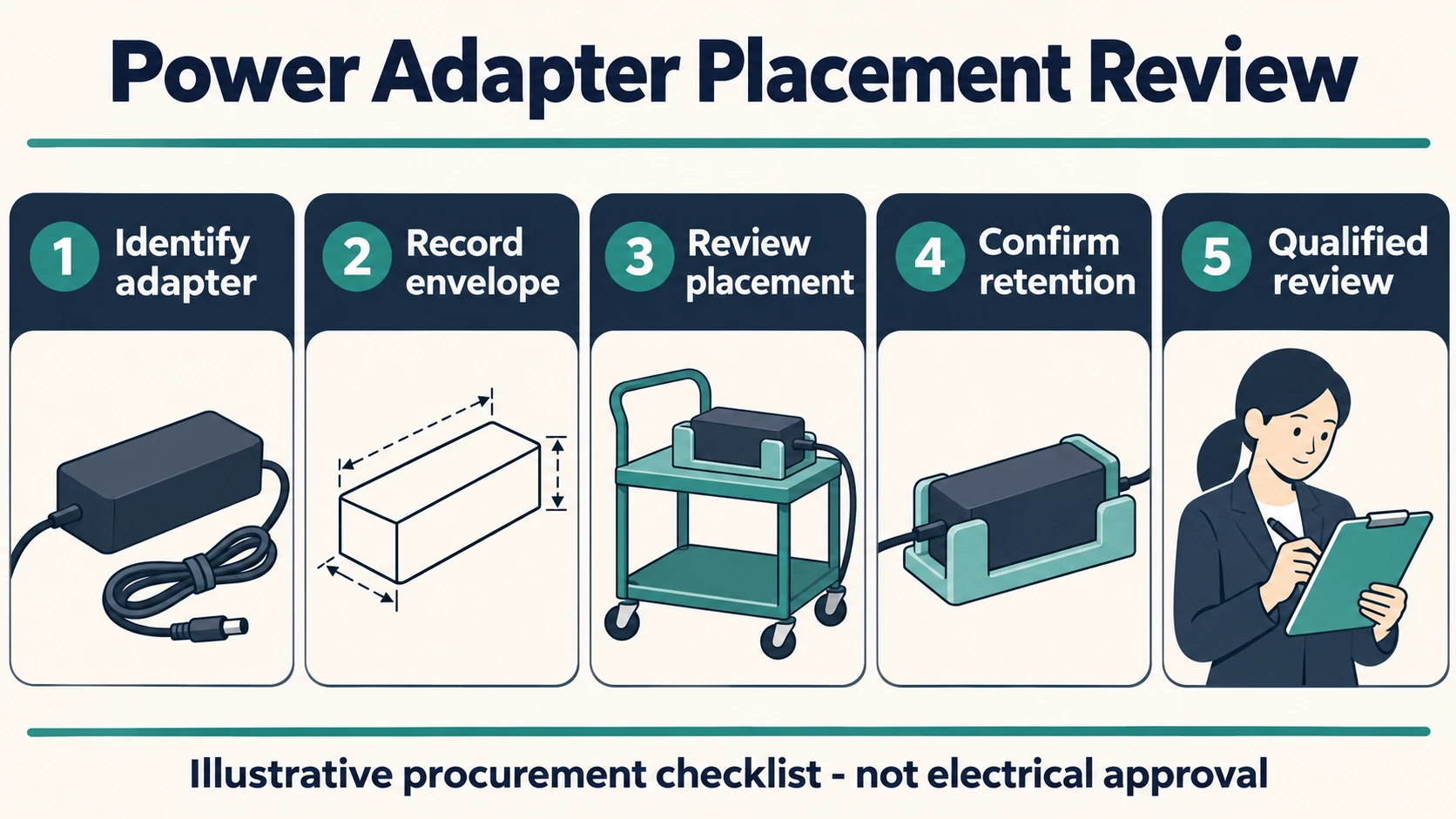
Start with the actual adapter and equipment configuration
Identify the computer, monitor and any peripheral separately. Record the adapter manufacturer, part number, cable connections and installation instructions for each item. Similar-looking adapters may have different physical or operating requirements; an approved location for one is not automatically suitable for another.
The CRF CA16Z126 medical computer cart with monitor mount and printer shelf is a relevant workstation reference. Its published description lists a host bracket and power shell alongside the work areas. These descriptions establish a product to discuss with CRF, not a promise that a particular third-party adapter fits or that a complete electrical system is included.
Prepare an adapter information sheet
Provide the part number, external dimensions, cable exit locations, photographs and manufacturer documentation. Identify any surfaces that must remain accessible or unobstructed. State whether connectors must be disconnected during routine servicing and whether the supplier allows the proposed mounting orientation. Do not substitute a generic adapter photograph for the actual unit.
Compare possible locations before specifying a holder
A proposed location has to work with the whole cart. Consider the monitor support, work surface, printer area, computer bracket and moving adjustment parts together. A location that appears convenient in a static photograph may obstruct another component in use.
| Review point | Information to request | What not to assume |
|---|---|---|
| Physical fit | Adapter envelope and proposed holder drawing | Outside dimensions equal usable space |
| Retention | Supplier-approved attachment and release method | Cable ties are universally acceptable |
| Ventilation | Adapter instructions and surrounding clearances | An enclosure is automatically suitable |
| Cable exits | Connector access and routing sketch | A connector can bend directly at its housing |
| Service access | Removal and replacement sequence | Removing the computer is always acceptable |
| Electrical scope | Supplied components and responsible reviewer | A power shell is an approved power distribution system |
Holder or enclosure: different questions
An open holder and an enclosure are not interchangeable descriptions. Ask which parts contact the adapter, what retains it and whether the adapter manufacturer permits that arrangement. If an enclosure is proposed, request a review of heat dissipation, access and material compatibility rather than inventing a ventilation clearance. This article supplies no universal clearance or operating-temperature limit.
Review cable movement without turning the holder into a cable anchor
Document the route between the adapter and its connected equipment. Check the proposed route through the cart’s intended adjustment range and during permitted service operations. The adapter’s weight should not be assumed to hang safely from a plug or cable.
This review is distinct from general cable organization: the central issue is the relationship between the adapter body, its restraint and its connections. Ask the integration team to identify strain relief and service disconnect points in the configuration drawing. Electrical work, outlet selection and any clinical-environment requirements need qualified review under the applicable instructions and local requirements.
Use a configuration-specific sample review
Before approving an order, ask for a sample or documented review using the intended adapter model and the agreed cart configuration. Check physical access, interference and the agreed removal sequence. Have the relevant qualified personnel review electrical suitability separately; a visual inspection alone cannot establish it.
Record unresolved items explicitly. If a holder is not part of the quoted configuration, show it as pending rather than describing it as included. If the adapter changes later, reopen the fit and documentation review instead of carrying forward the previous approval by appearance.
Procurement handoff checklist
- Cart model and configuration revision.
- Adapter and connected-equipment identifiers.
- Dimensioned placement proposal and attachment details.
- Manufacturer instructions relevant to orientation and ventilation.
- Cable routing and service access notes.
- List of included and excluded power-related components.
- Named responsibility for electrical and application review.
- Sample observations and open questions before purchase approval.
The limitation is important: a mechanically tidy arrangement is not evidence of electrical certification, medical-device compatibility or suitability for a particular clinical workflow.
FAQ
Does a medical cart power shell mean the cart is battery powered?
No. The description alone does not establish batteries, charging, an inverter or any electrical approval. Ask for the exact supplied configuration and documentation.
Can the adapter be placed on the printer shelf?
Do not assume so. Review the adapter instructions, interference with the printer and paper path, cable connections and the supplier’s proposed retention method for that configuration.
Can CRF review a custom adapter holder?
CRF lists OEM/ODM customization for the referenced product. Submit the actual adapter information and proposed arrangement for feasibility review; this is not a guarantee that any particular design can be supplied.
Request a configuration review from CRF
Send an RFQ referencing CA16Z126 with your adapter part numbers, drawings, equipment list, destination requirements and quantity. Ask CRF to confirm the mechanical scope, proposed mounting details and quotation exclusions. Contact sales@szcrftech.com for a product discussion. This article is procurement education, not electrical installation or clinical-use guidance.